
SuperEx Guide: SuperEx Earn Operation Guide(Ⅰ)

#SuperEx #Guide #Earn
Before You Start
- Ensure you have downloaded and installed the latest version of the SuperEx App, and completed account registration and login.
- Ensure your Spot Account has sufficient available funds (e.g., BTC, DOGE, etc.) to subscribe to Earn products.
Step 1: Enter the Earn Page
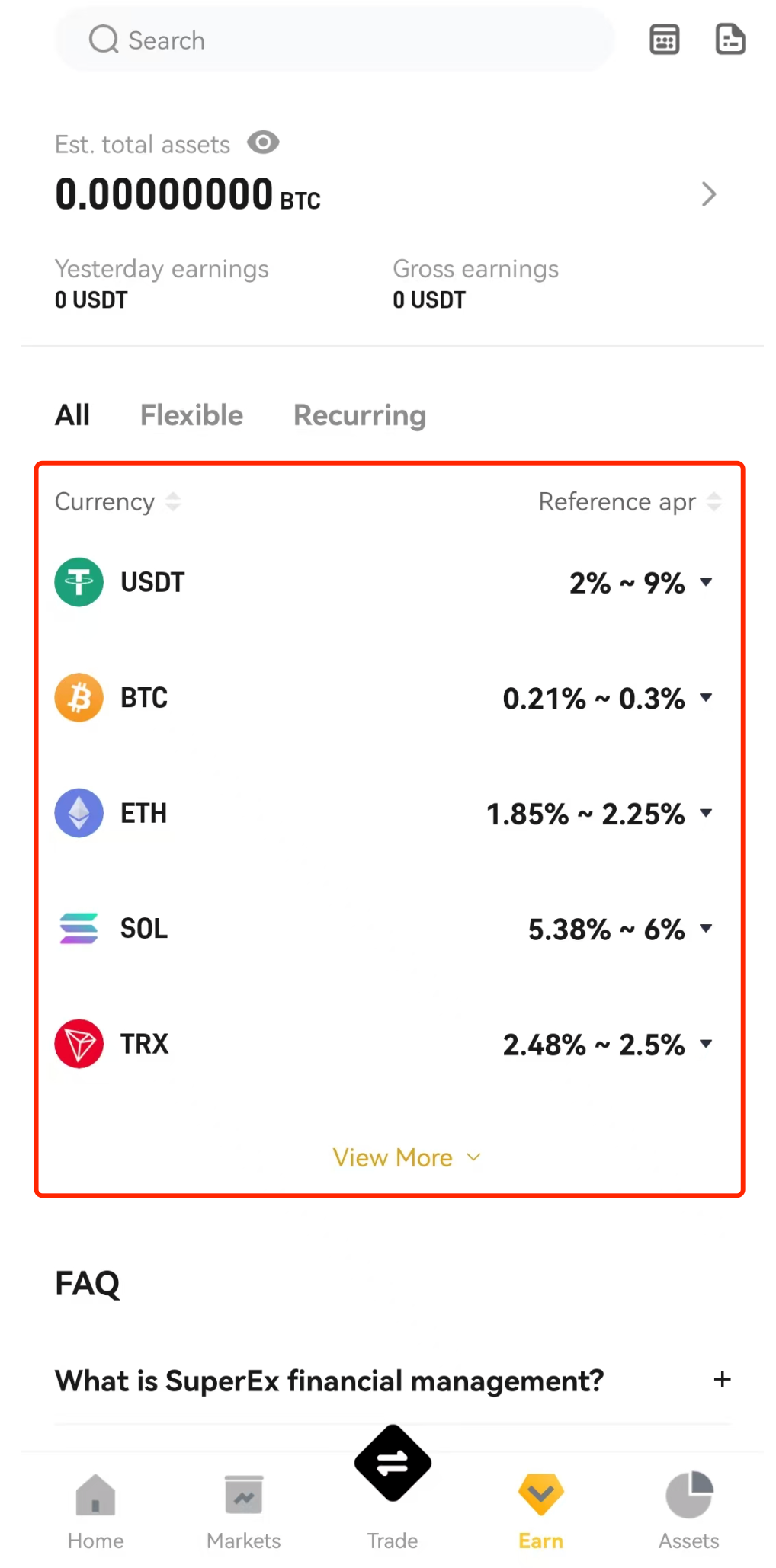
- Open the SuperEx App, find and tap the 【Earn】 icon in the bottom navigation bar on the Homepage.
- After entering the main Earn page, you will see a list of various Earn products, including information such as different coins, terms, and expected yields.

Step 2: Select and Subscribe to an Earn Product
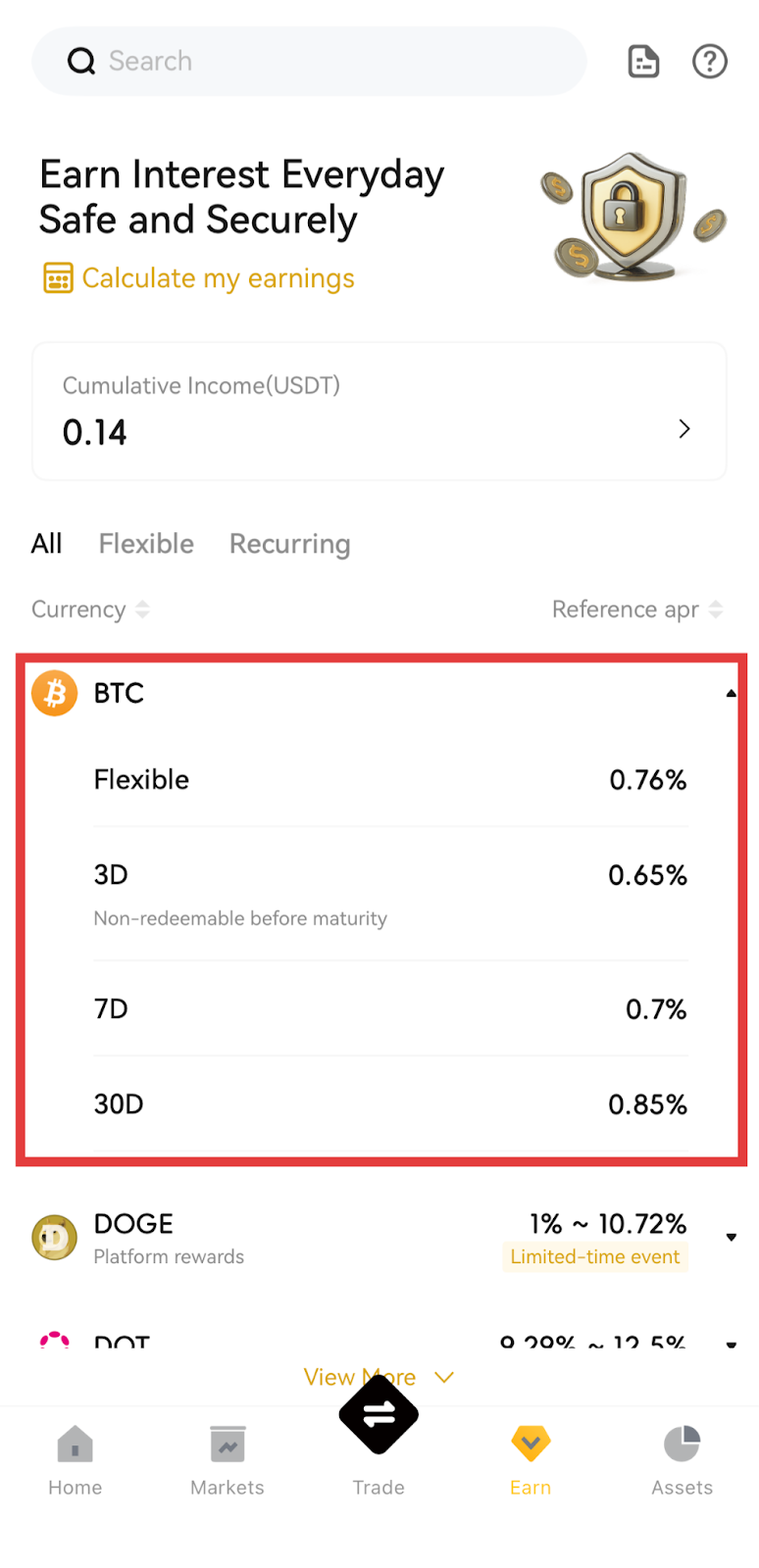
Taking the BTC Earn product as an example:
- Filter Coins: At the top of the Earn page or in the category section, select “BTC” or another coin you wish to purchase.
- Select a Specific Product: Browse the different Earn products under this coin (e.g., Flexible Earn, Fixed Earn, etc.), tap the card of the product you are interested in to enter the product details page.
- View Product Details: Carefully read the key information of the product, including:
- Expected Annual Percentage Rate (APR)
- Investment term (for Fixed Earn products)
- Minimum subscription amount, account balance, remaining quota
4. Enter Subscription Amount:
- Enter the amount or quantity you wish to invest in the subscription area.
- Please ensure the entered amount does not exceed your available balance and the product limit.
- Auto-Subscribe: Option to enable auto-subscribe (Upon maturity, the system will automatically resubscribe your funds to a Flexible Earn product).
5. Confirm Subscription Information: Verify that the coin, amount, expected earnings, and other information are correct, then tap the 【Subscribe】 button.


Step 3: View Earn Holdings, Order History, and Withdraw Interest
- Return to the App Homepage and tap 【Assets】 in the bottom navigation bar.
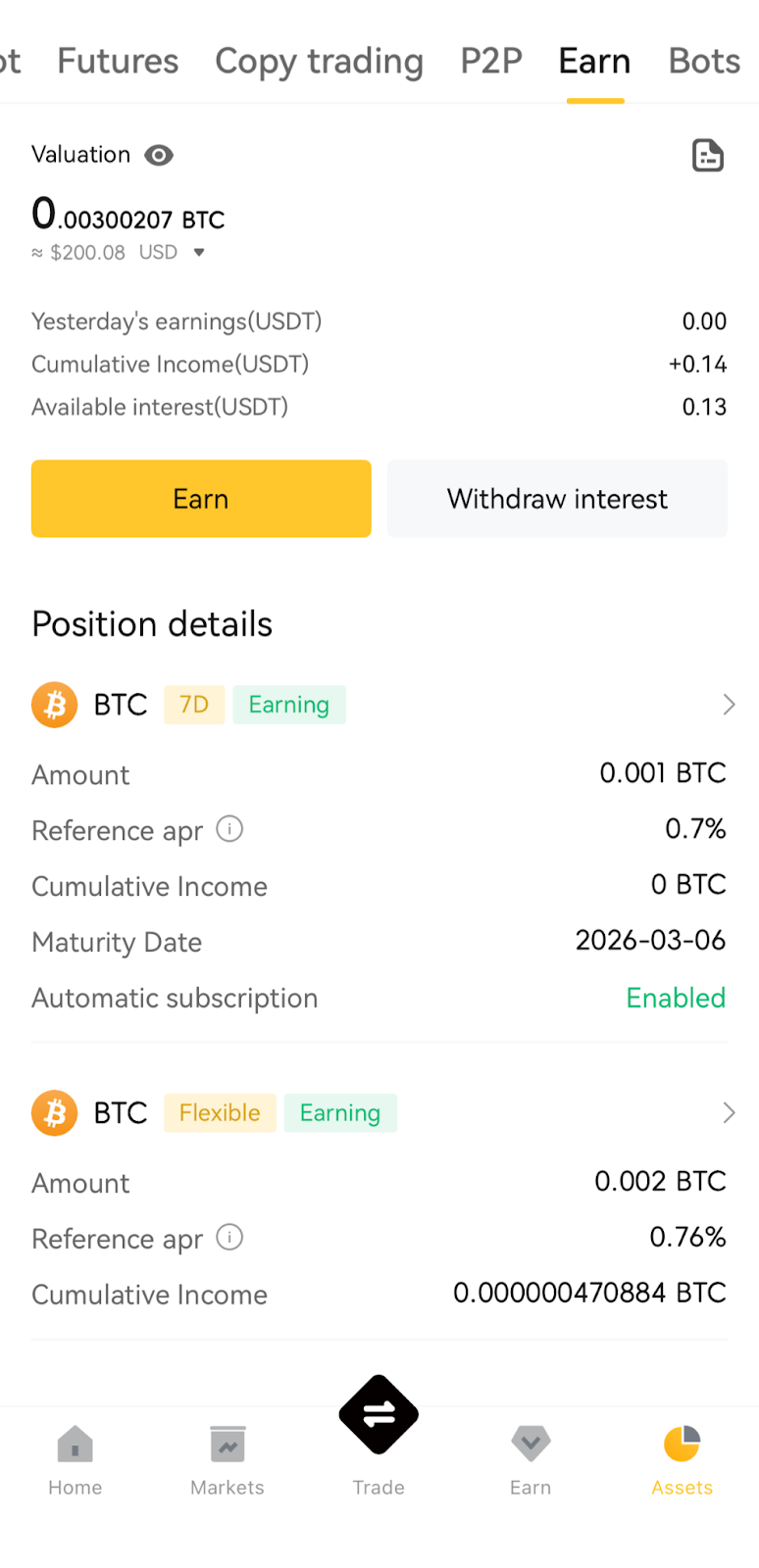
- At the top of the Assets page, swipe the tabs horizontally, find and tap 【Earn】.
- Upon entering the Earn Assets page, you can perform the following operations:
- View Holdings Details: A list of currently held Earn products, including product name, held amount, accumulated interest, pending interest, etc. Tap any product to view more detailed holding information.
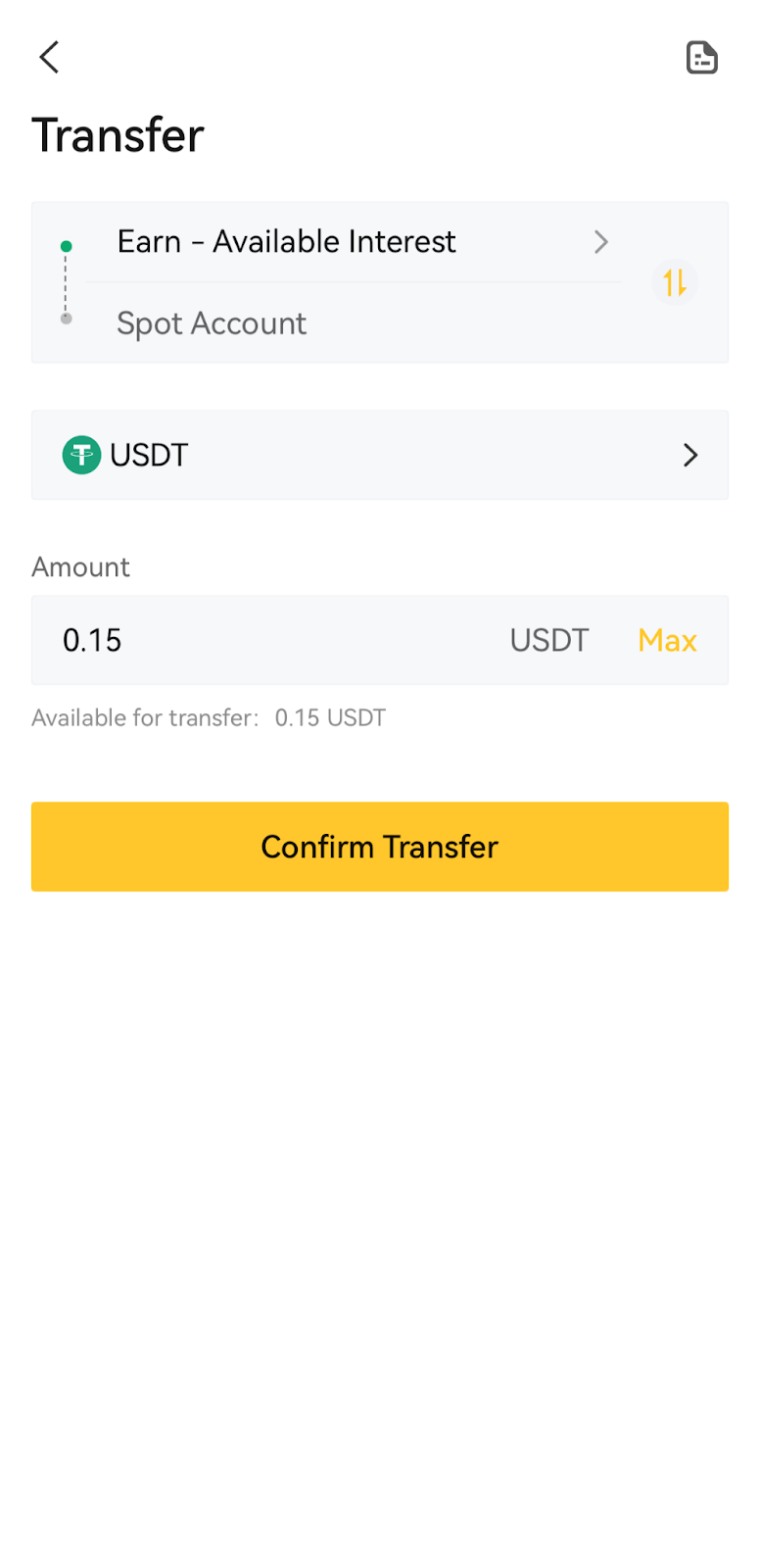
- Withdraw Interest: On the holdings details page, tap the product you want to withdraw interest from to enter the product details page. Tap the 【Withdraw Interest】 button, enter the withdrawal amount, then tap 【Confirm Transfer】 to transfer the earnings to your Spot Account. Please note that interest for some products may be automatically distributed or require certain conditions to be met before withdrawal; please refer to the specific product rules.
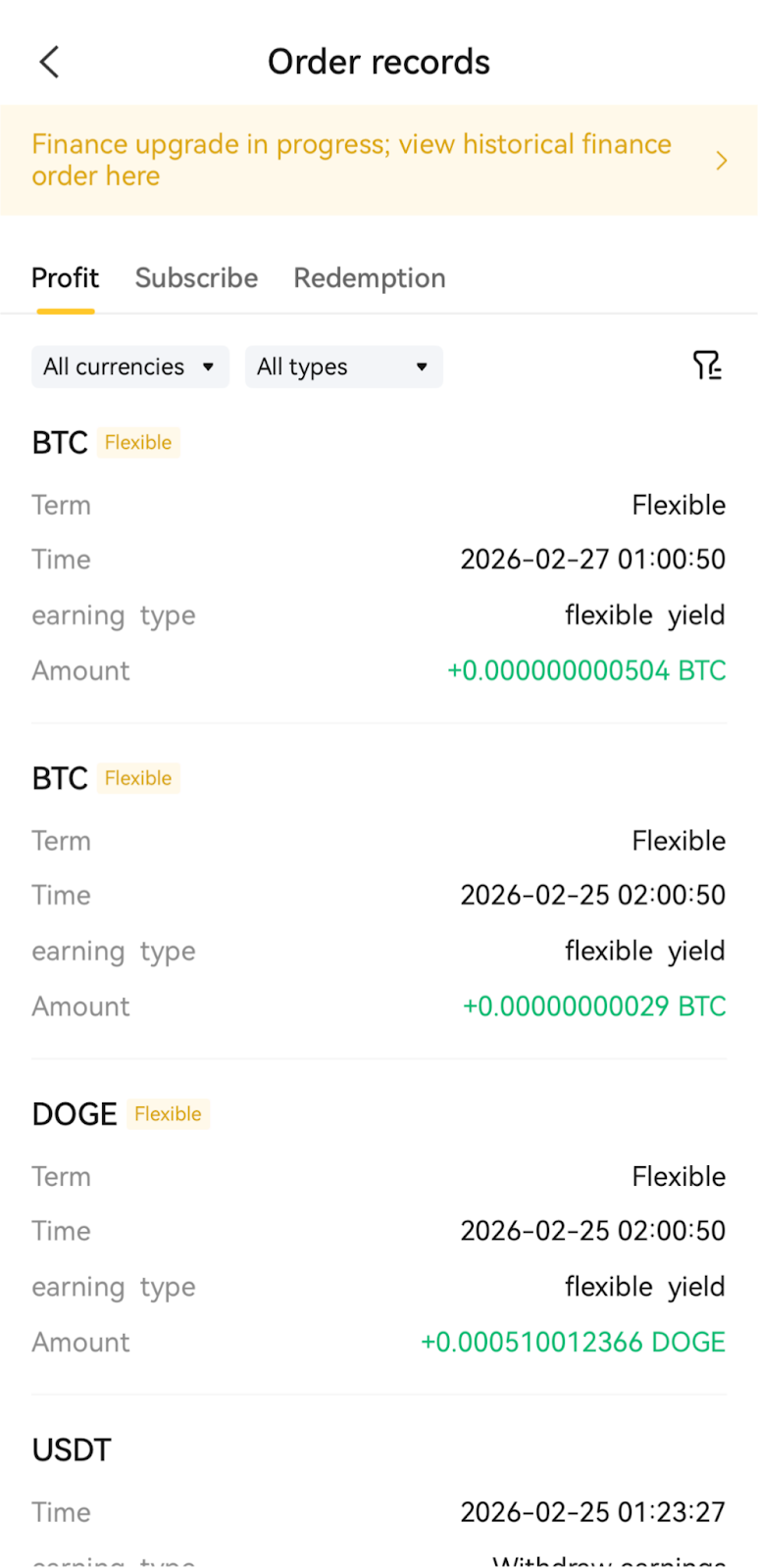
- View Order History: Tap the icon in the top right corner of the Earn Assets page to view the history of all interest, subscriptions, and redemptions, including time, amount, status, etc.
— To be continued —






Responses