
SuperEx Guide: How to Modify Google Authenticator

#Google #Authenticator
My Account is Accessible
There are two ways to modify your authenticator application, but first, you need to log in to the SuperEx website at www.superex.com and log into your account.
- If you can access the current authenticator, you can modify your authenticator app.
- If you cannot access the current authenticator, you can reset your authenticator app.

-
Click on the user icon in the top right corner, select Account Security.
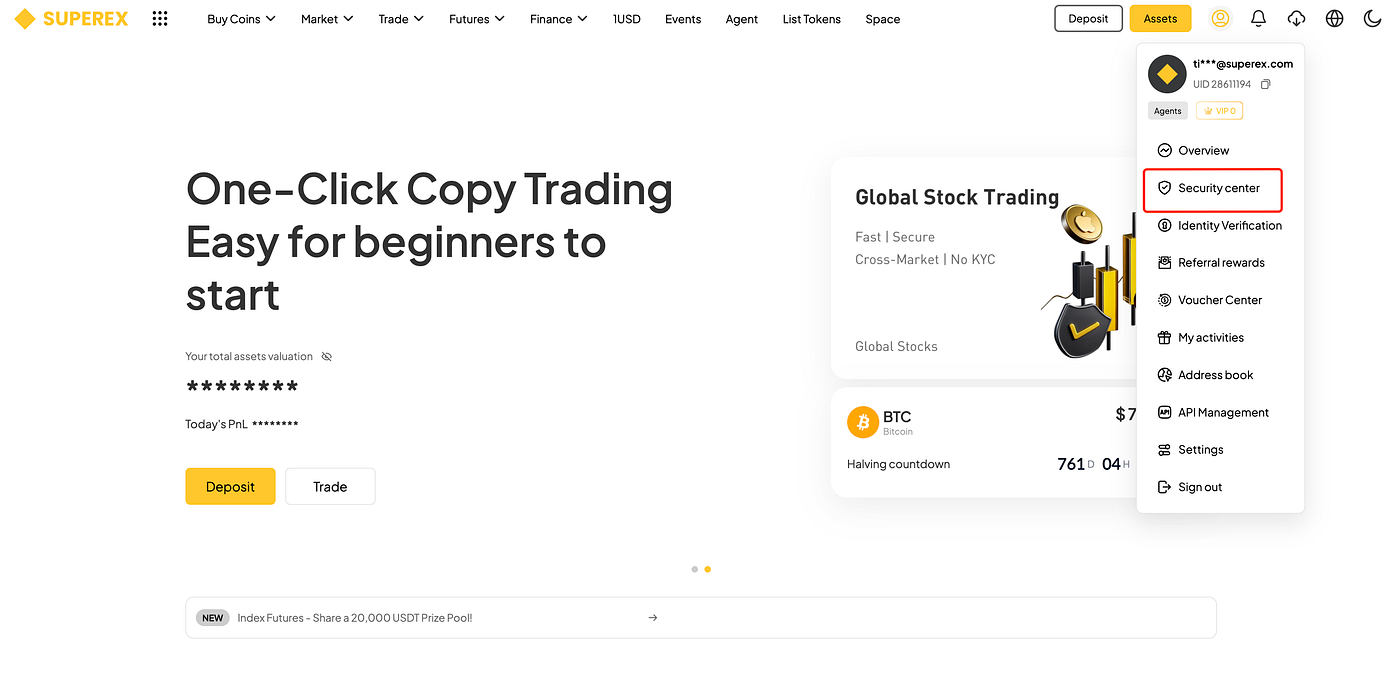
2. Click on the authenticator you wish to change.
3. Follow the prompts to complete the process.
My Account is Inaccessible
You will need to contact customer service to reset it.
Note:
After modifying the authenticator app, you will not be able to withdraw funds or perform P2P sales within 24 hours.


Responses