
SuperEx Guide: SuperEx Web3 Wallet User Guide(ⅥI)

@2x-1024x576.png)
#SuperEx #Guide #Web3Wallet
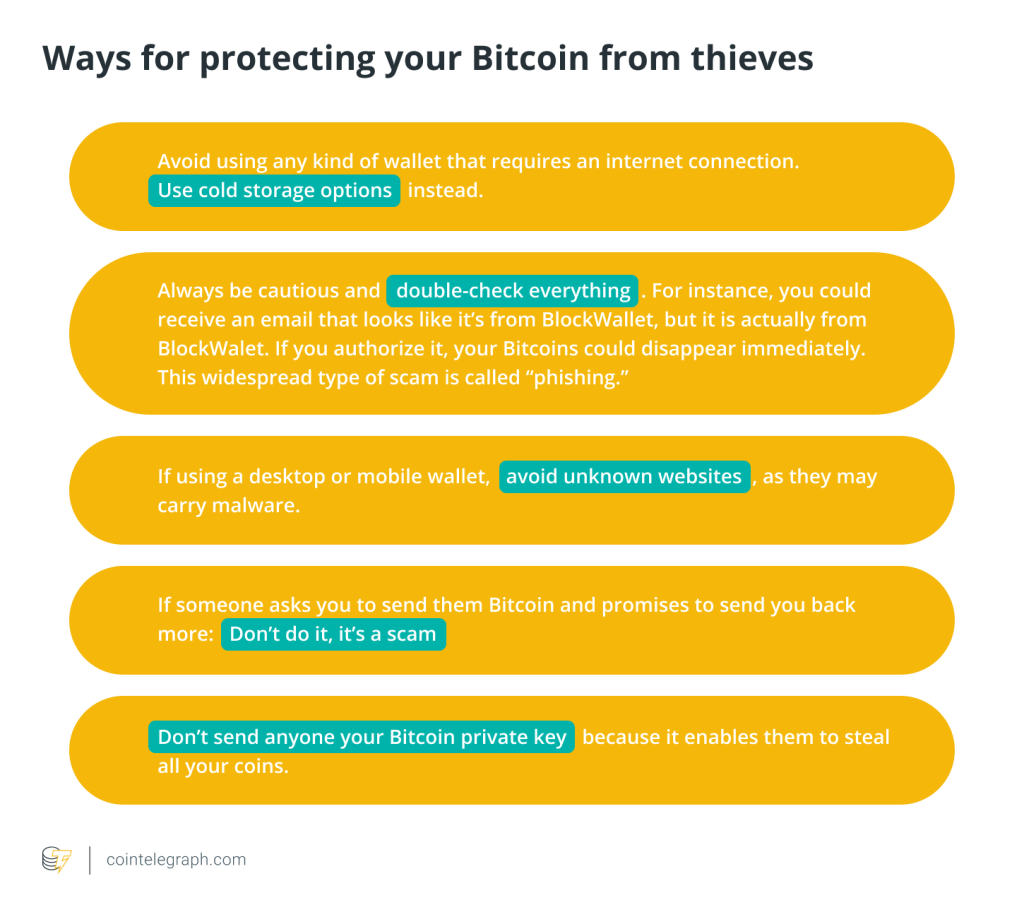
Web3 wallets are decentralized and anonymous, making them a prime target for scams. Malicious actors use tactics such as mining, airdrops, and high-yield investment schemes to lure users into clicking on unknown links, granting wallet authorization on malicious websites, or stealing seed phrases/private keys, resulting in asset loss. Stolen assets are often difficult to recover, so please stay vigilant.
- Cick to register SuperEx
- Cick to downoad the SuperEx APP
- Cick to enter SuperEx CMC
- Cick to enter SuperEx DAO Academy — Space
SuperEx Web3 Wallet FAQ(2)
How to Remove a Created Wallet Account
Due to the nature of blockchain, created accounts cannot be deleted but can be removed from the wallet app.
- For Seed Phrase Wallets: If Wallet A contains multiple accounts (e.g., Account 01 to Account 10), you must remove Wallet A entirely and then re-import its seed phrase to restore only the required accounts.
- For Private Key Wallets: These do not support multiple accounts, so you can delete them directly from the wallet app.
Precaution: Ensure your seed phrase or private key is backed up before removing a wallet. If lost, your assets will be unrecoverable.
Why Can’t I Find a Token?
If a token is not in your asset list, you can add it:
1.Go to the Assets section on the wallet home page.
2.Click the “+” button.
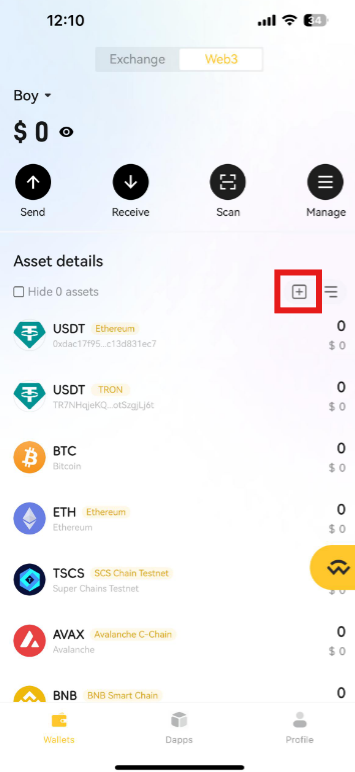
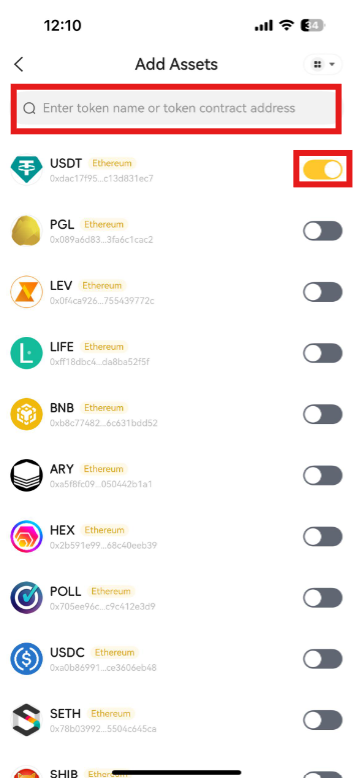
3.Enter the token name or contract address and enable the token.
Do Failed Transactions Still Require Network Fees?
Yes. When sending tokens, interacting with smart contracts, or performing blockchain operations, network fees are required to compensate miners or validators. These fees apply whether the transaction succeeds or fails and are non-refundable.
What Happens If I Send Crypto to the Wrong Address?
Unfortunately, due to blockchain immutability, transactions cannot be reversed once confirmed. Consider the following steps:
- If the receiving address belongs to another platform, contact that platform’s support for assistance.
- If the funds were sent to a contract address, contact the project team to check if they can retrieve them.
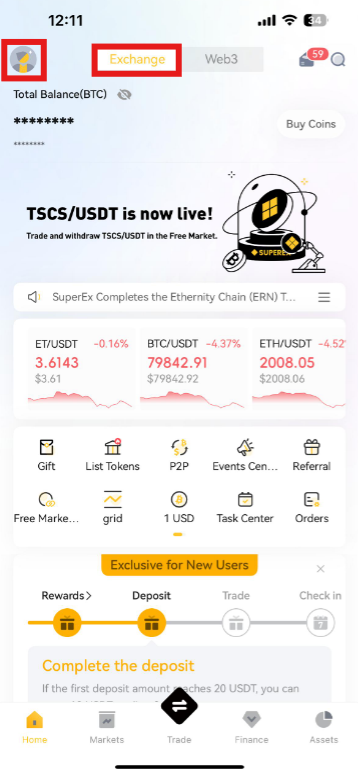
How to Change the Language of the SuperEx Web3 Wallet?
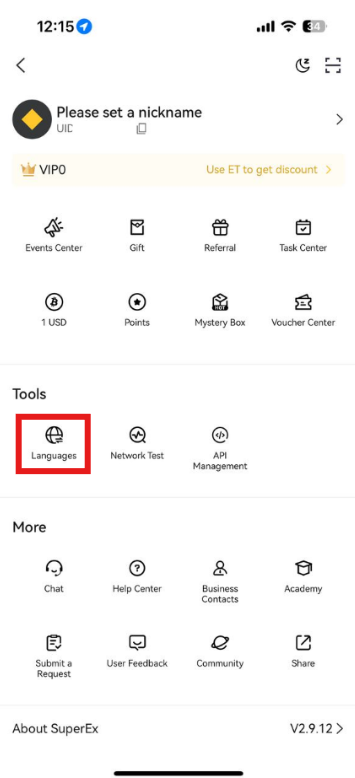
We To change the language, return to the exchange interface, tap the profile icon in the upper left, and navigate to Tools > Languages.

Responses