
SuperEx Guide: How to Use Copy Trading in SuperEx Futures


#SuperEx #Guide #CopyTrading
Copy trading allows investors to replicate the trades of experienced cryptocurrency traders in real time. When a lead trader places a trade, the system automatically copies the same trade for the copy trader.
- Click to register SuperEx
- Click to download the SuperEx APP
- Click to enter SuperEx CMC
- Click to enter SuperEx DAO Academy — Space

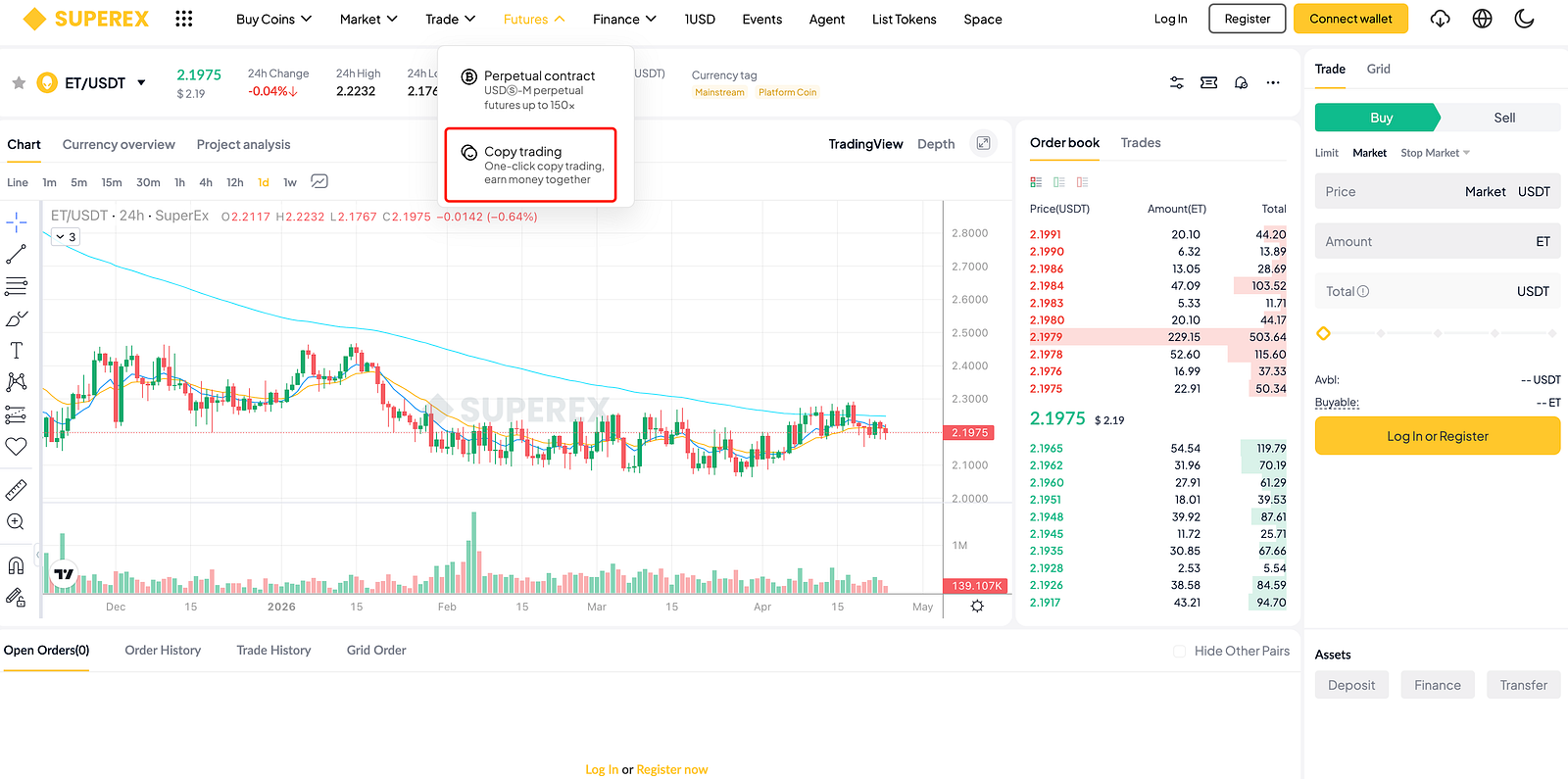
- Log in to your SuperEx account and click on [Trade] — [Futures Copy Trading].
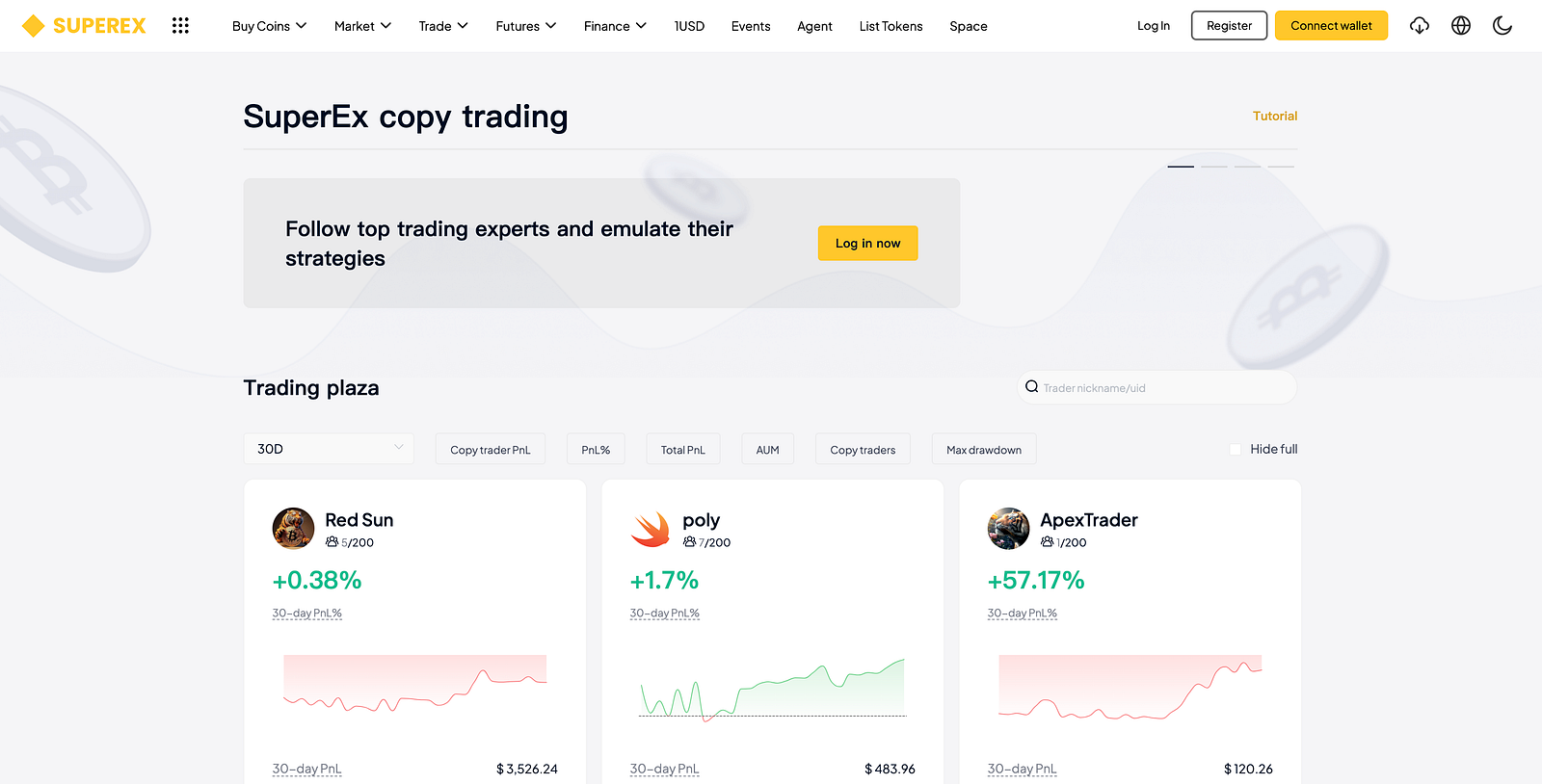
- In the trading plaza, you can filter traders using the following criteria:
- Time Range: 7/30/90-day performance
- Trader Performance Metrics: Total follower profit, ROI, total profit, AUM (Assets Under Management), number of followers, maximum drawdown
- Search: Filter traders by searching their UID or nickname
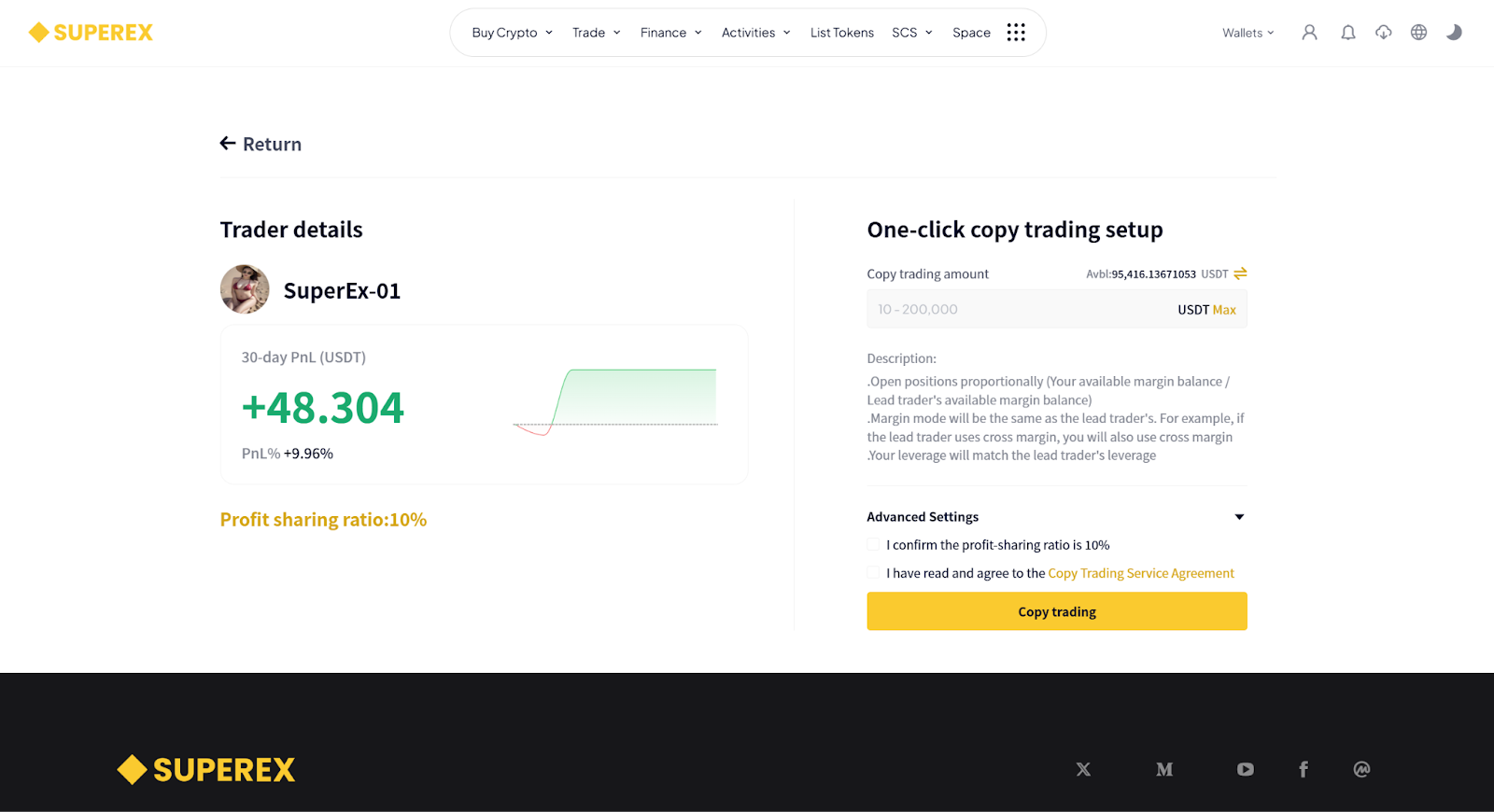
3. After selecting a trader, set your copy trading parameters:
- Copy Trading Amount
- Advanced Settings: Position Take Profit / Position Stop Loss / Maximum Margin Per Order
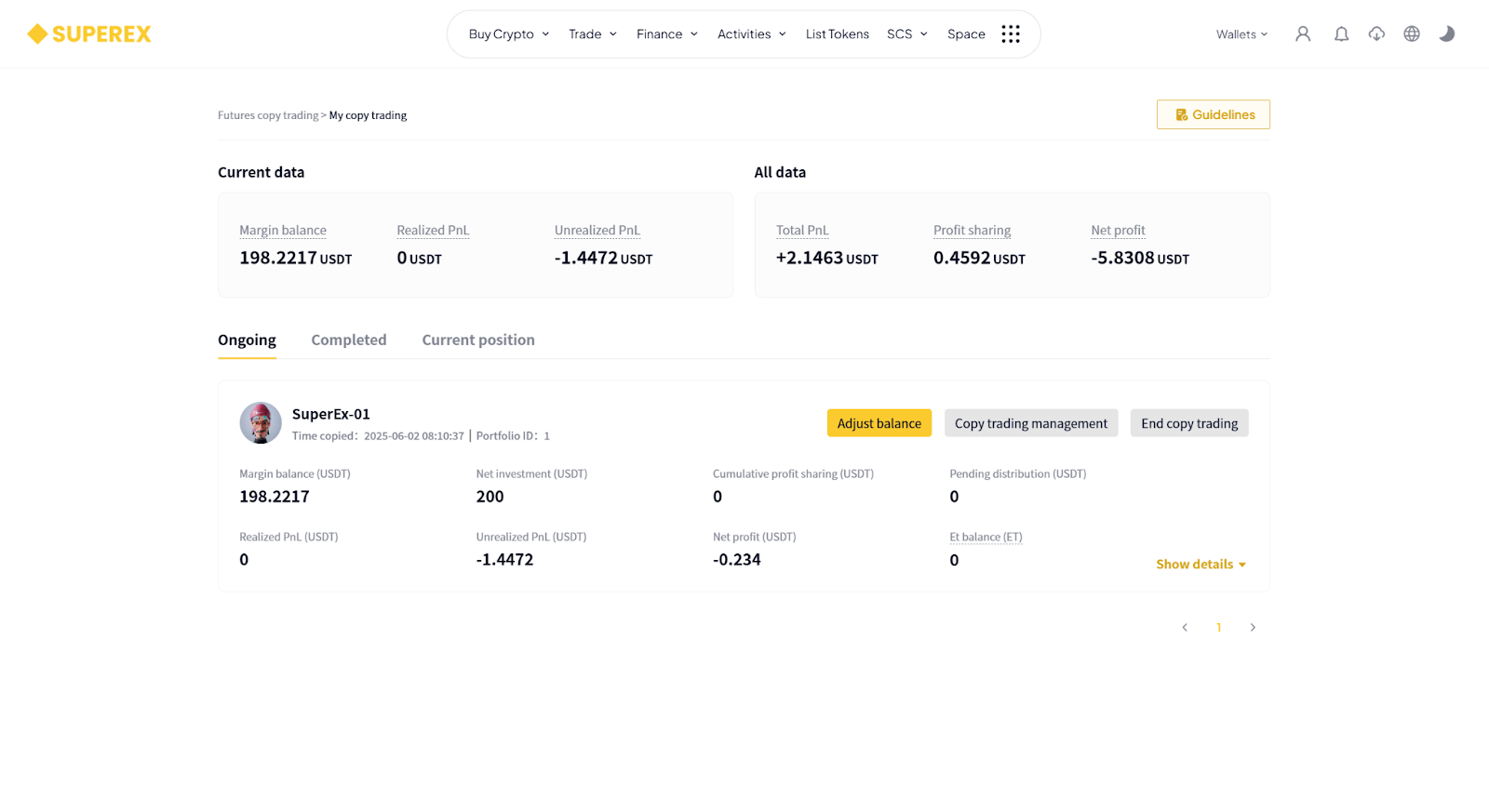
Ongoing Copy Trades
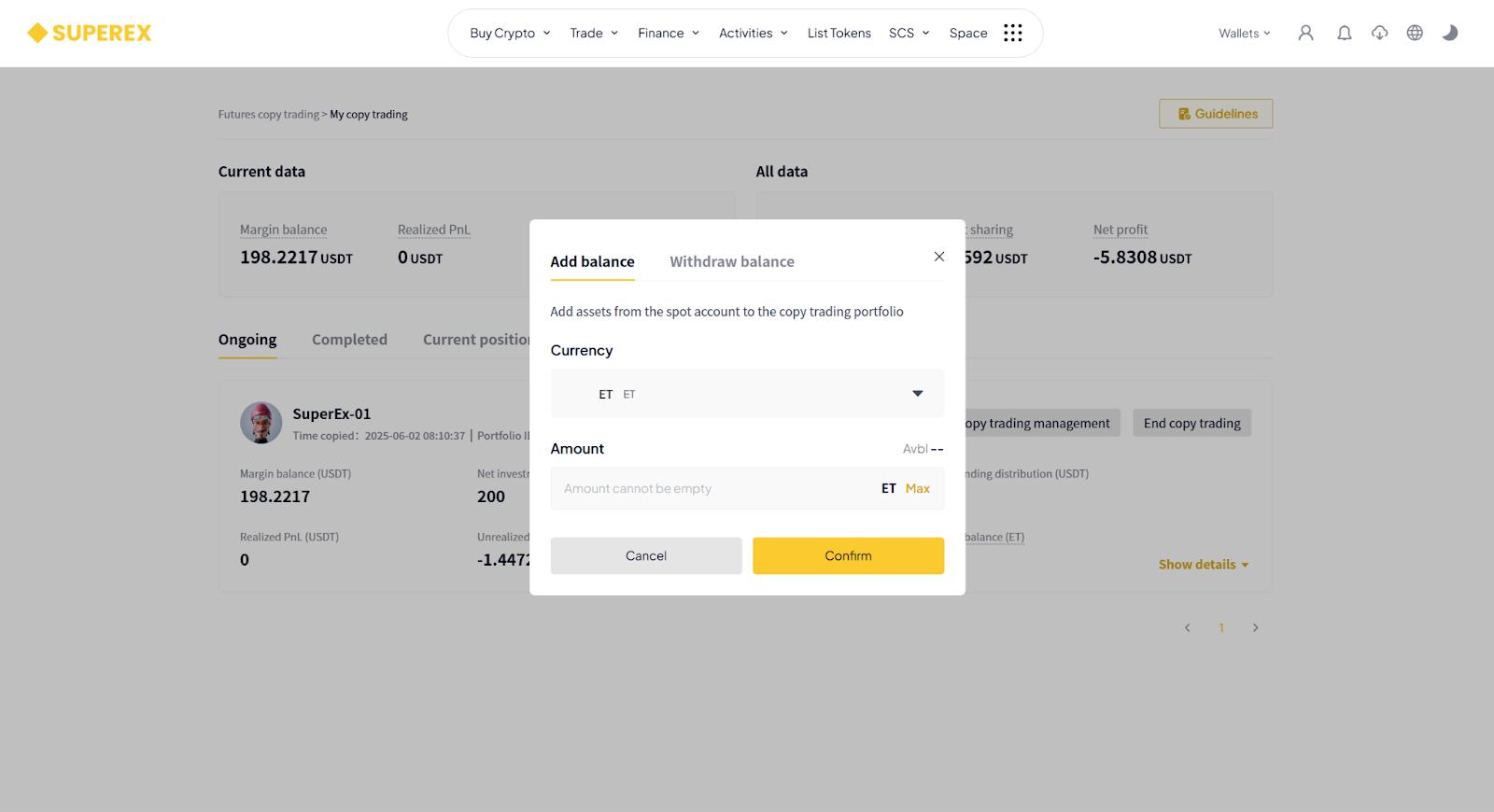
- [Adjust Balance]: You can add more funds or withdraw part of the copy trading amount. The maximum copy trading amount is 200,000 USDT.
Note: If the portfolio still has open positions, withdrawal is not supported.
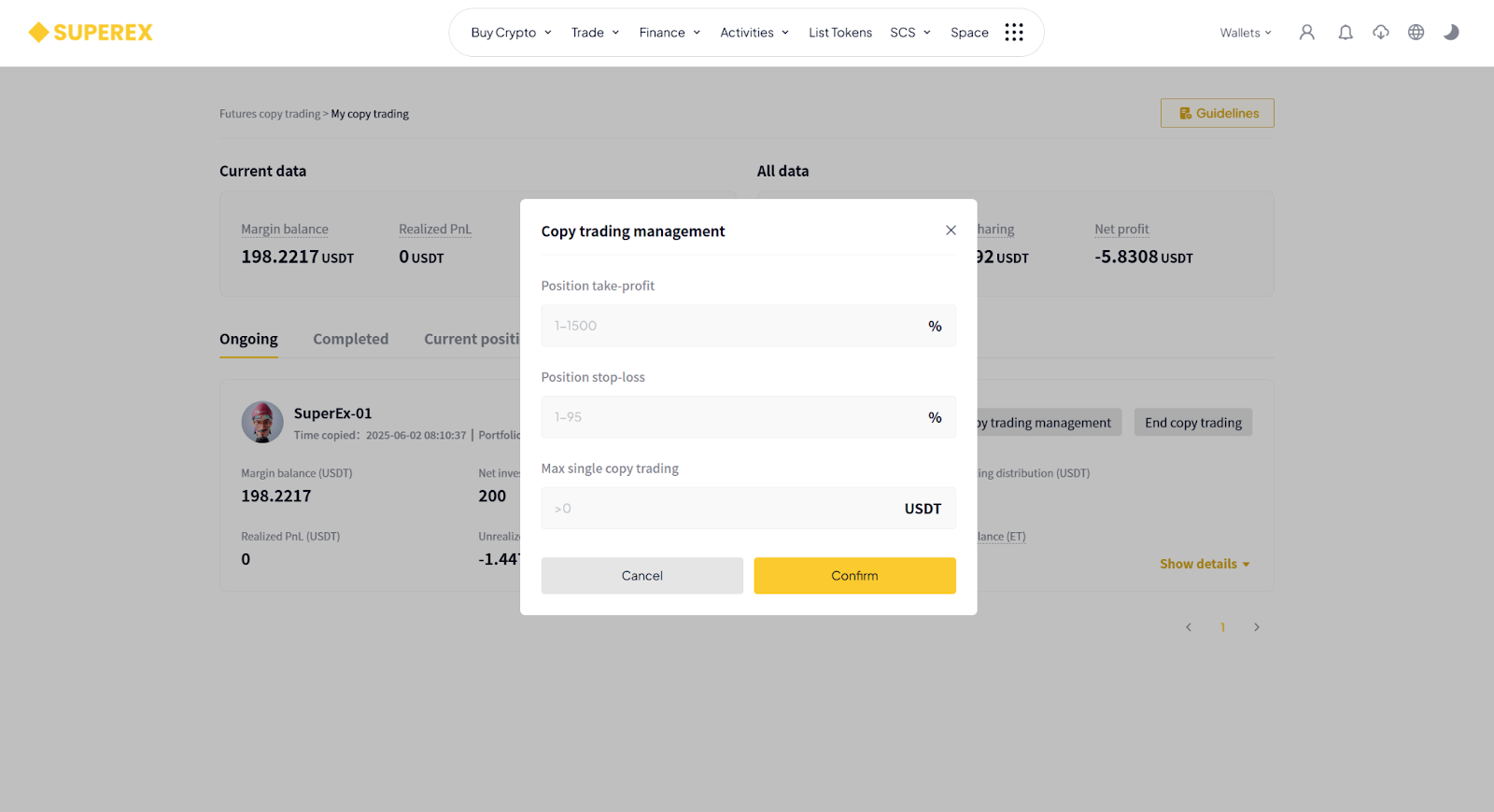
- [Copy Trade Settings]: Adjust position take profit/stop loss and the maximum amount per copied order.
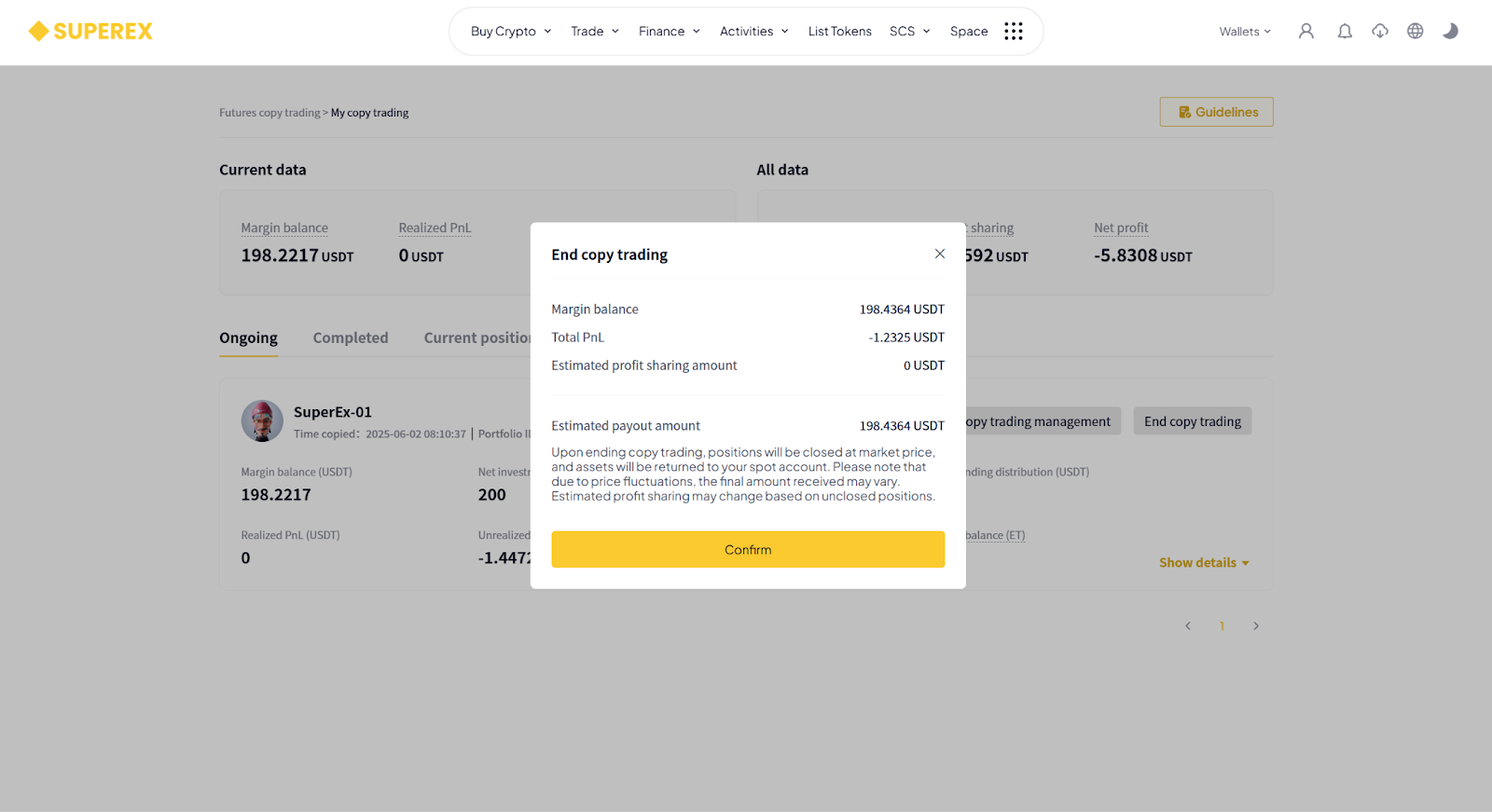
- [End Copy Trade]: The system will close all copied positions at market price, and the assets will be transferred back to your spot account.Please note that due to price fluctuations, the final settled amount may differ slightly. The expected profit share may also change depending on any open positions.
Click [Expand Details] to view:Current Positions / Historical Positions / Order History / Trade History / Transfer Records / My Profit Share / Fund Flow.
You can also go to [Wallet] — [Copy Trading Account] to view project details.






Responses