
SuperEx Guide: How to change your login password

#SuperExGuide #SuperEx
Web Version
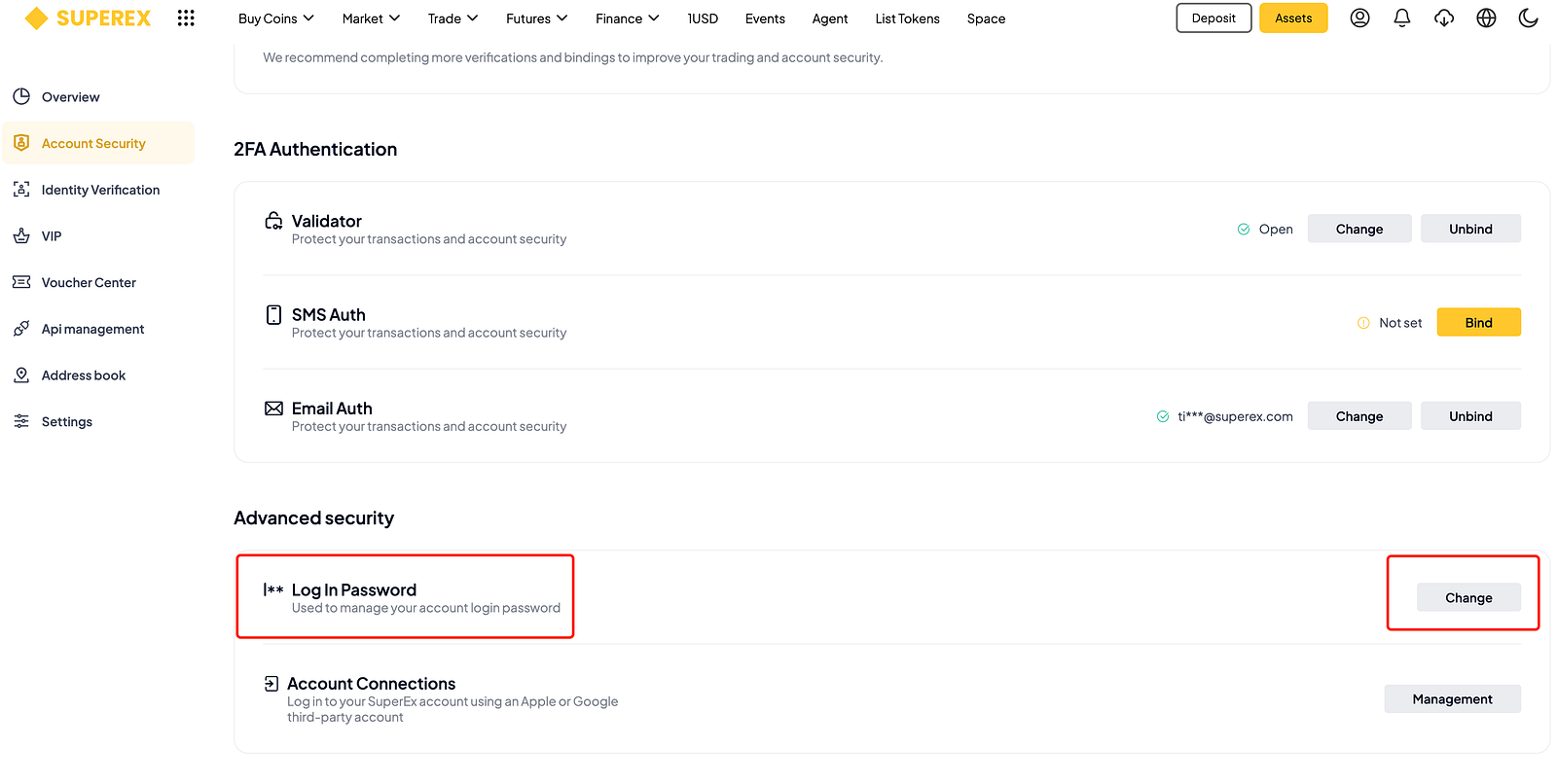
Open the official website, click on the profile icon in the upper right corner, select [Security center], then under Advanced Security, choose [Log in Password] — [Change].
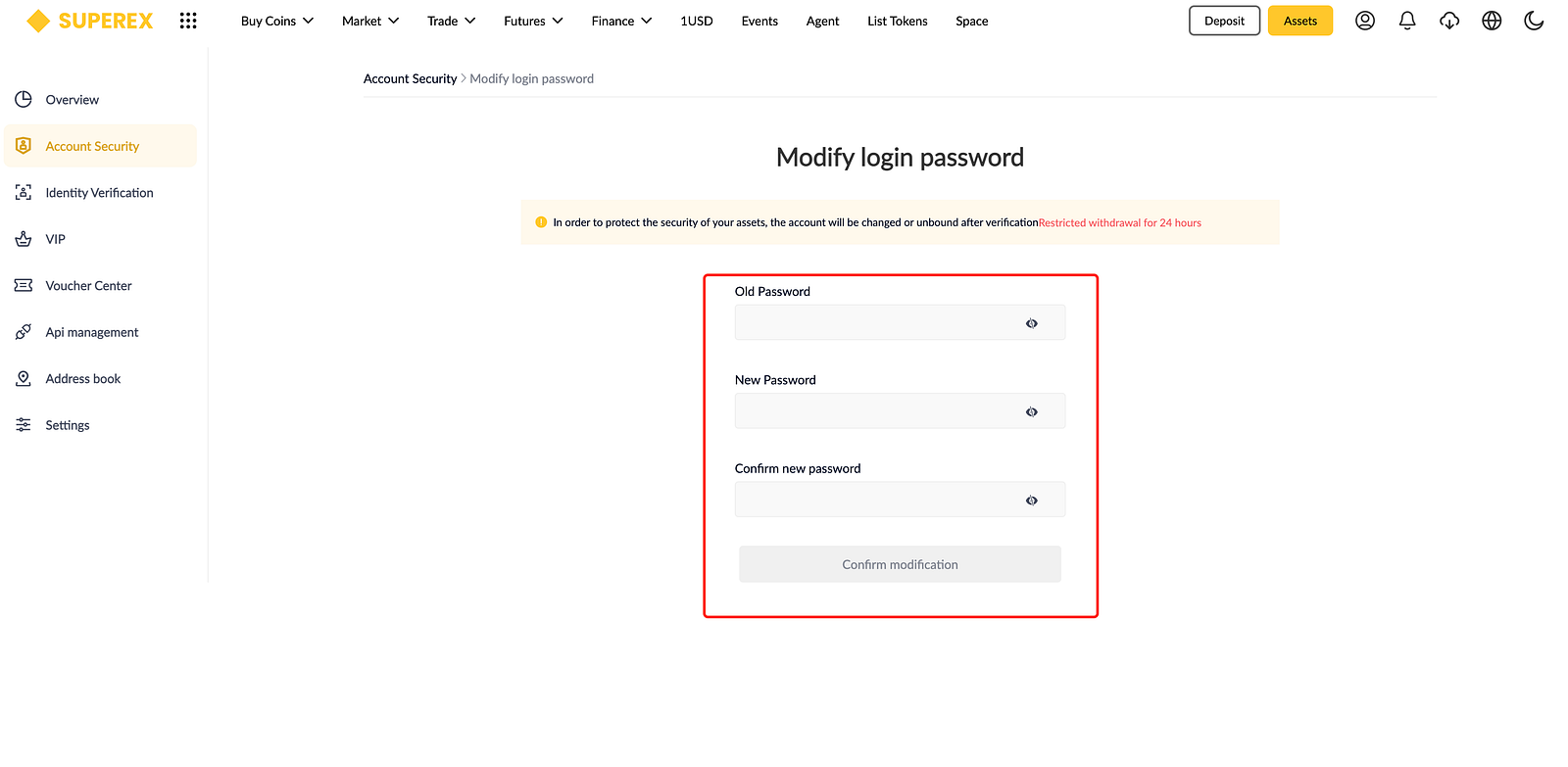
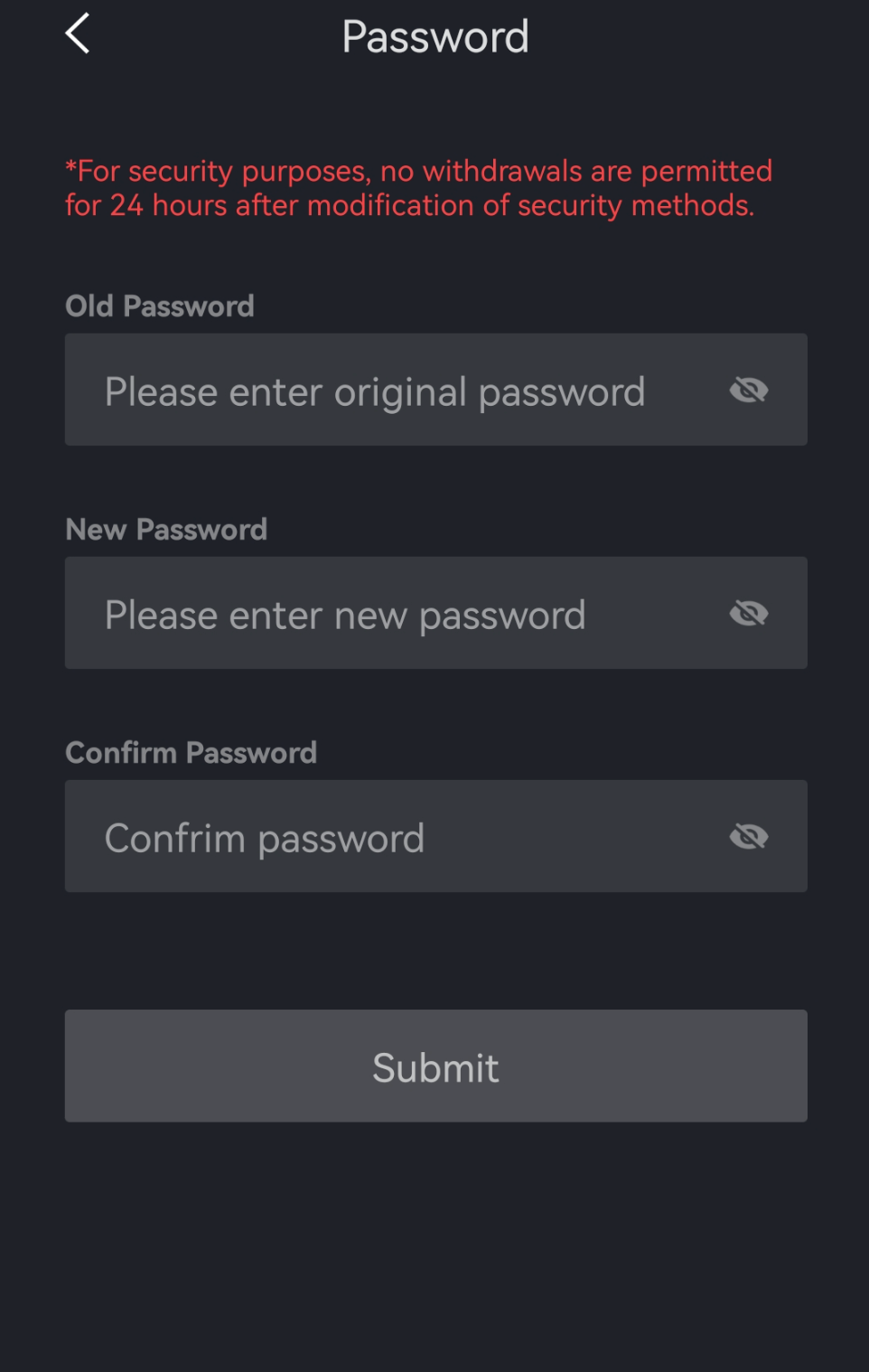
Follow the on-screen instructions, enter both the old and new passwords, complete the verification process, and click [Confirm Modification].

App Version
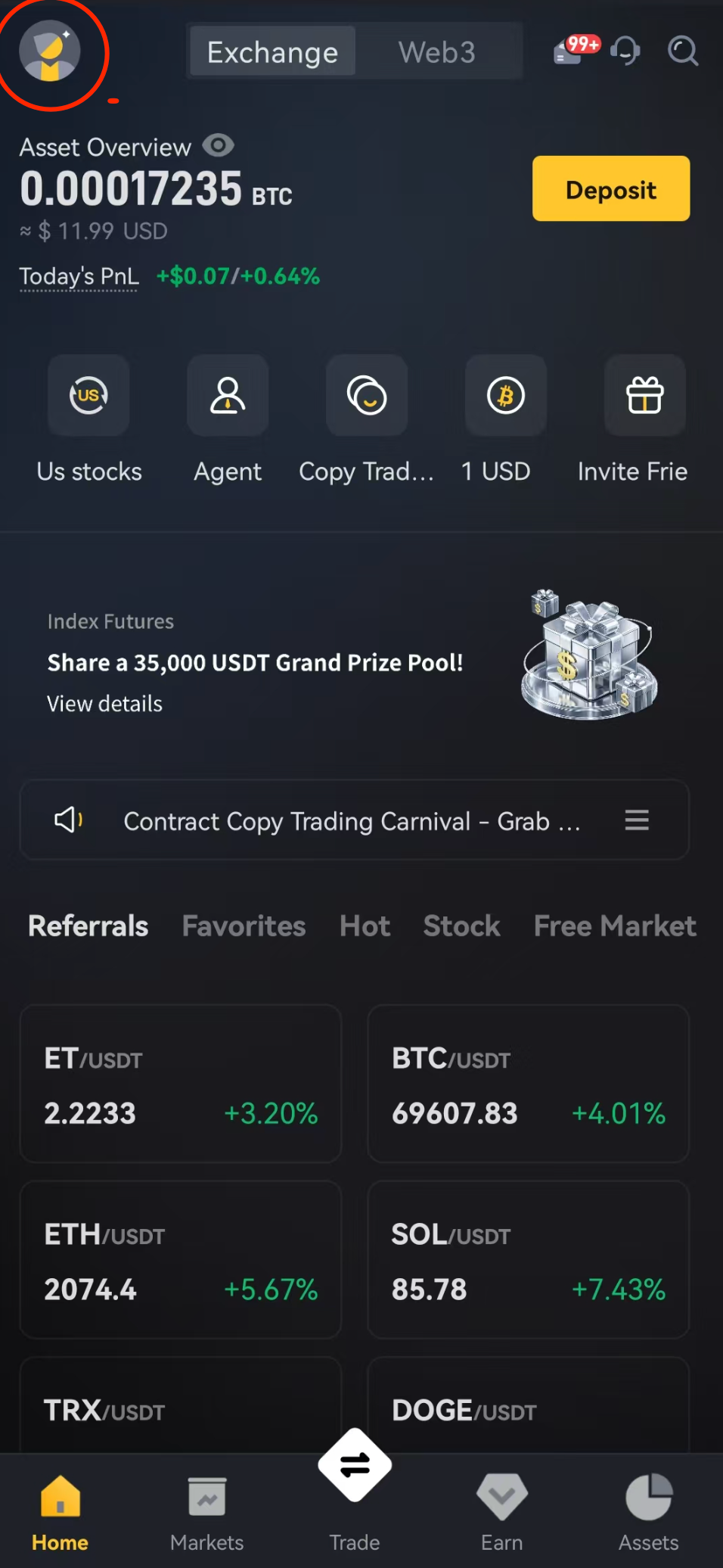
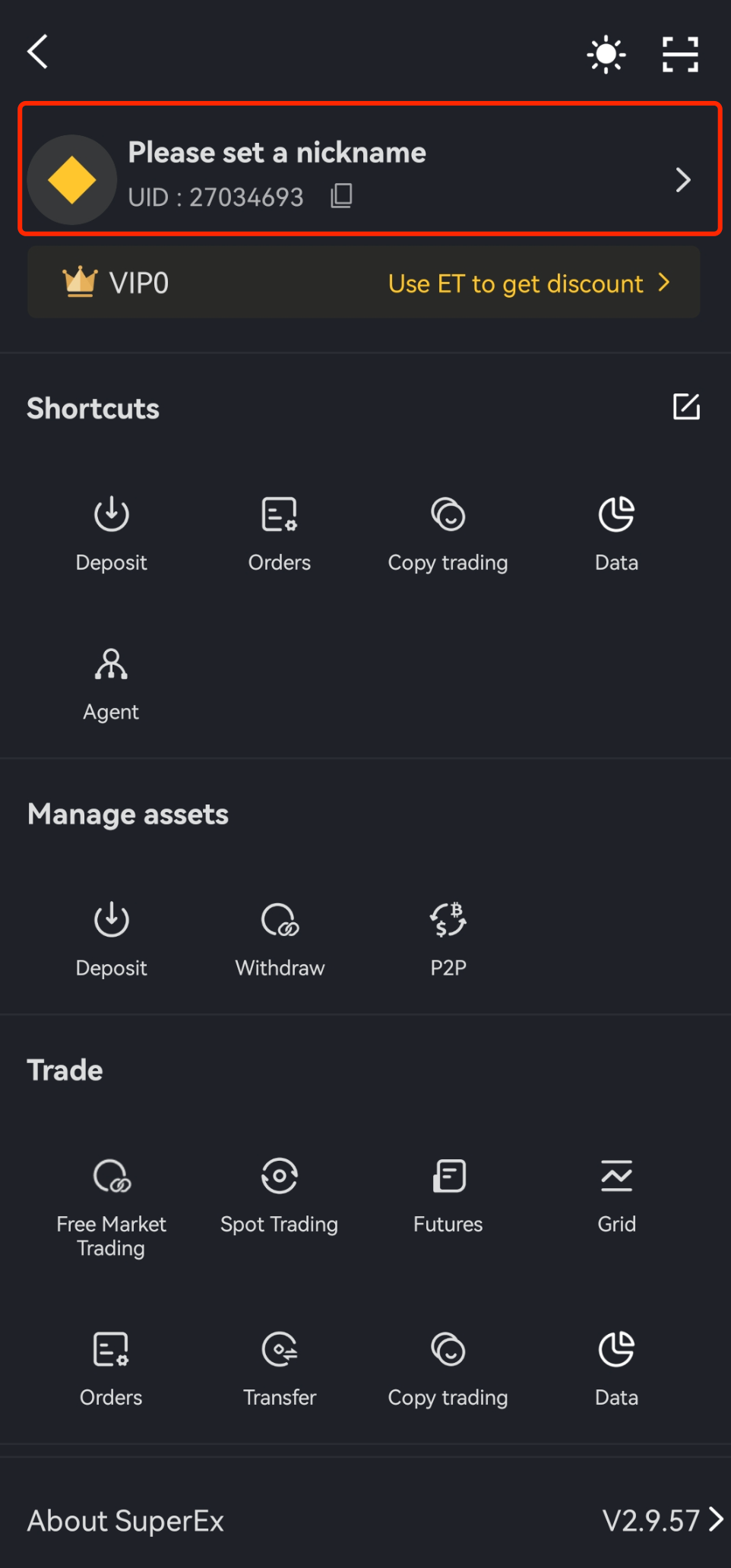
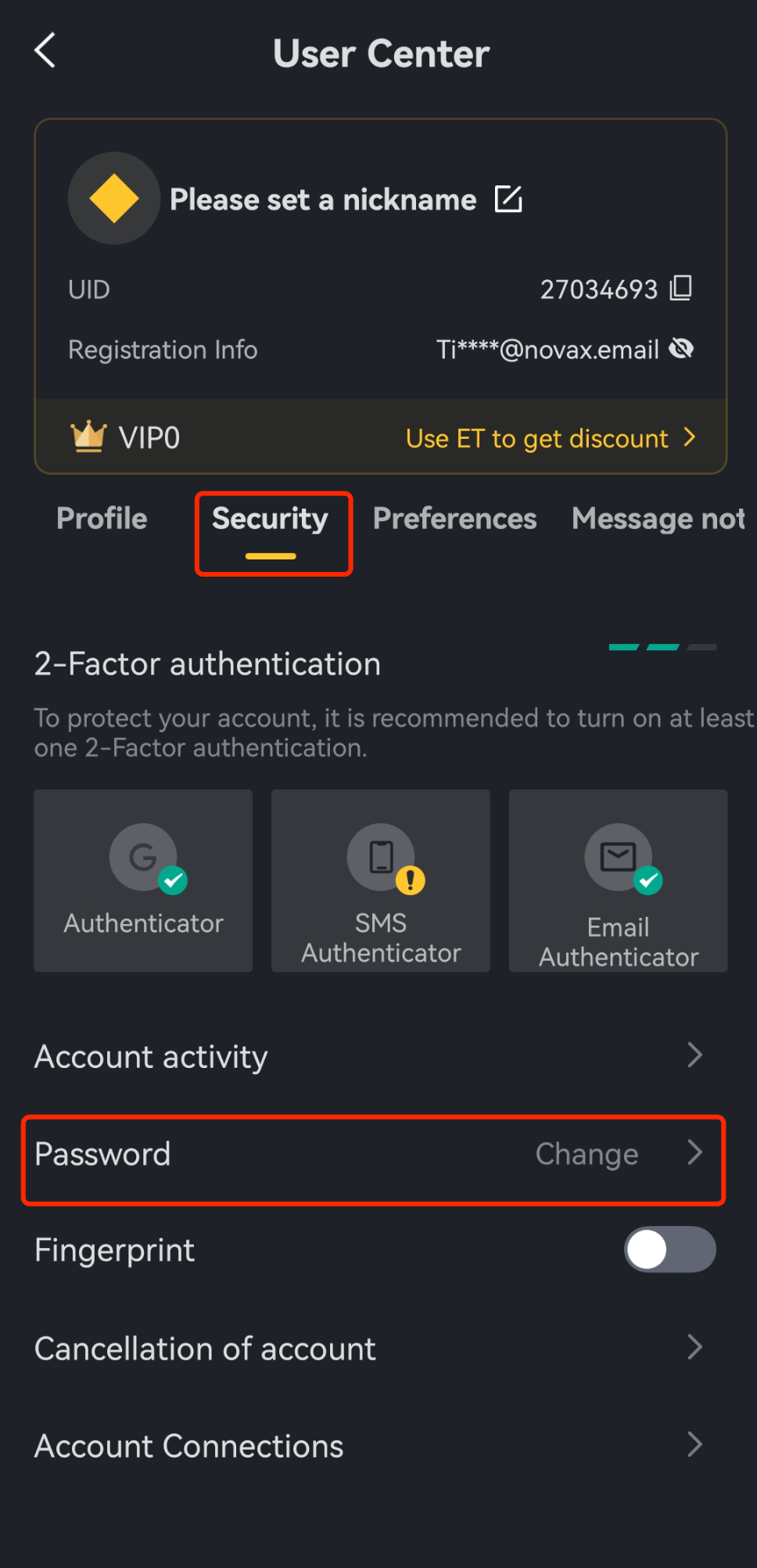
Open the SuperEx App, tap the personal icon in the top-left corner, tap your profile picture to enter the 【Profile Center】, select 【Security Settings】, find 【Login Password】, and tap 【Change】. Follow the on-screen instructions to enter your old and new passwords, complete the verification, and then tap 【Confirm】.
Note
For your asset security, changing or resetting your login password will trigger a 24-hour withdrawal restriction. We recommend you proceed with caution.
If you encounter the following issues, please refer to the corresponding solutions:
① Limit on attempts
Please confirm if the operation was too frequent. Try again after a while.
② Did not receive verification code
Check your phone’s signal and if it’s being intercepted.
③ Page lag or unable to click Next
There may be network delays or other issues. Try refreshing the page or wait a moment before retrying.


Responses