
SuperEx Guide: How to Withdraw Rebate Rewards

#SuperEx #Guide
In the last article, we broke down what makes SuperEx’s referral system different — a true three-way win:
- You get long-term commission earnings
- Your friends save on trading fees
- The platform gains real, active users
At SuperEx, inviting friends isn’t just an “extra feature” — it’s a full-blown, thoughtfully designed revenue system.
On SuperEx, “getting rich together” is a mechanism, not just a slogan.
Today, let’s talk about what happens after you earn your commissions:How do you actually withdraw your referral rewards?
Web Version
1. Open the official SuperEx website (www.superex.com) and log in to your account.
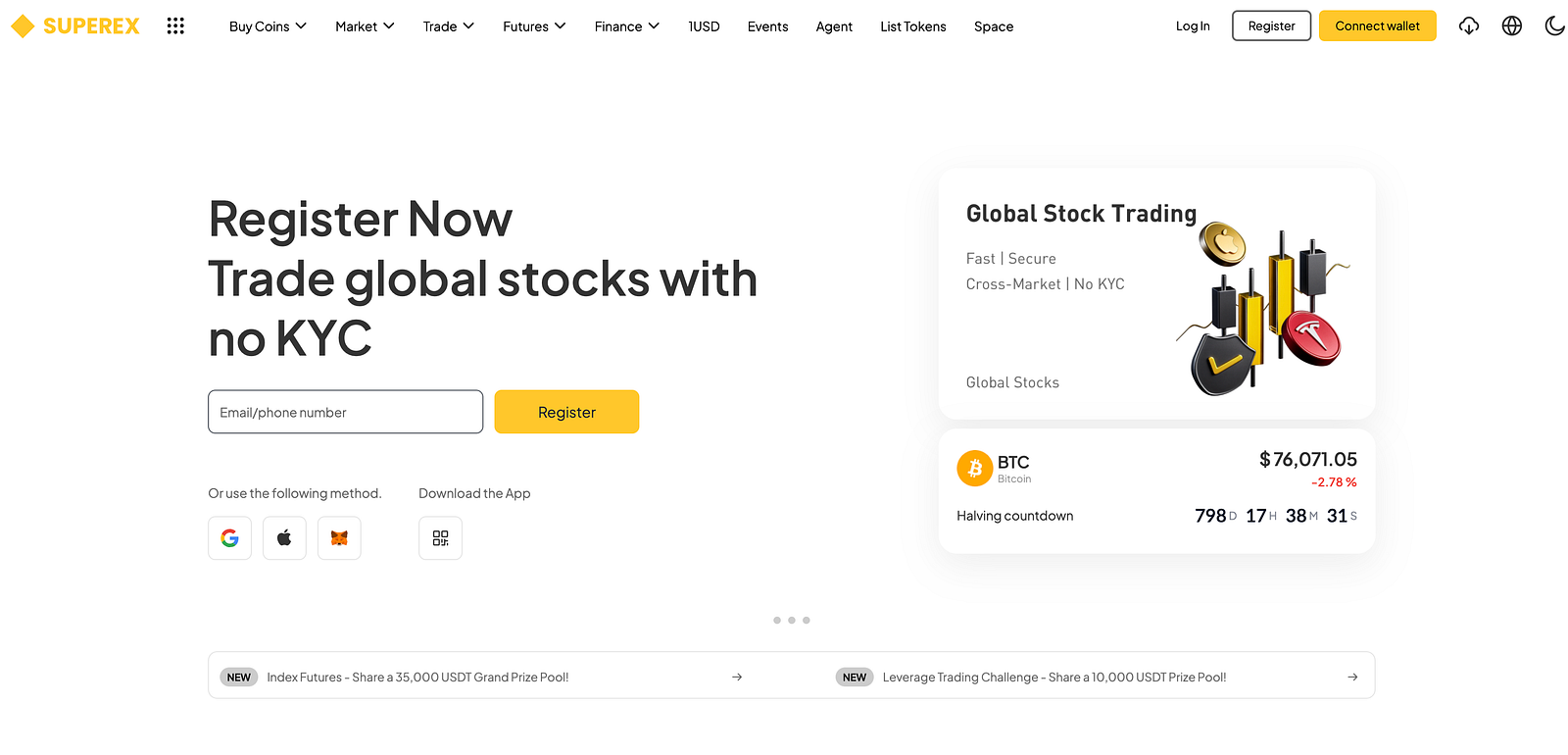
2.Click “Invite” from the floating panel at the top-left corner of the page to enter the referral interface.
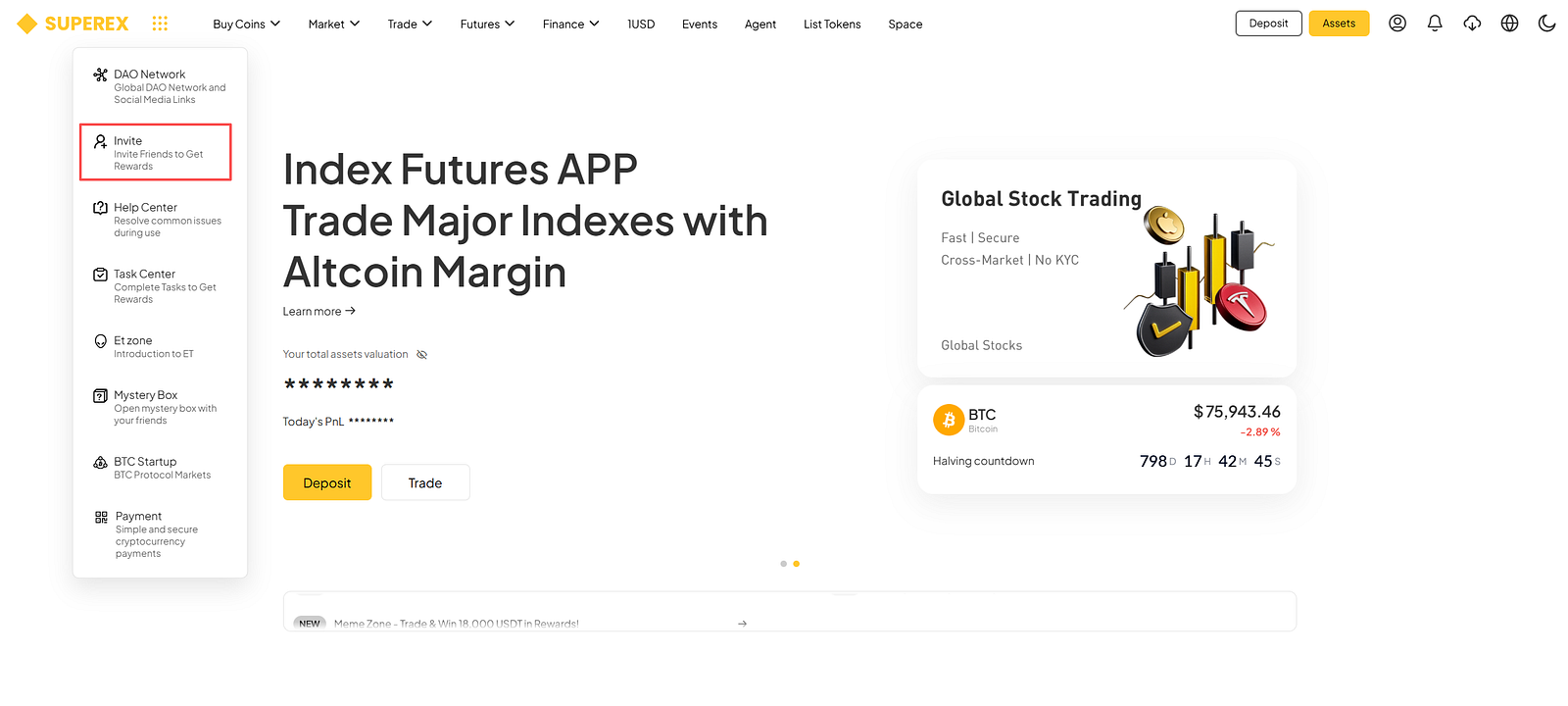
3.Click “All withdrawals” to withdraw your commission.
4.Click “Confirm” on the pop-up window.
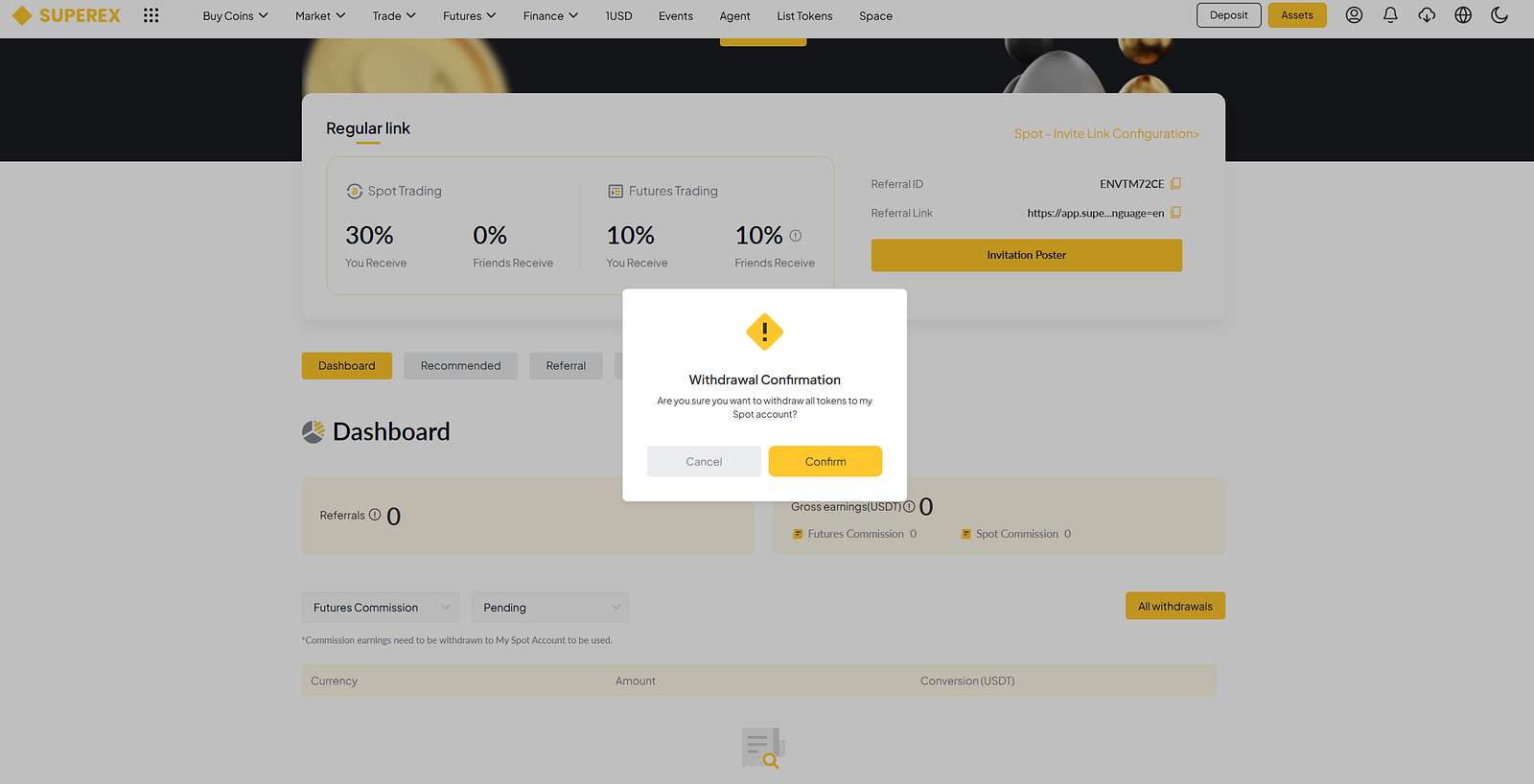
5. Click Confirm, and a detailed confirmation dialog box will appear. Verify the withdrawal details.
Then, proceed to security verification.Then, proceed to security verification.Complete the required security verifications to confirm the withdrawal:
- Email Verification
- SMS Verification
- SuperEx Verification Code
- Google Authentication Code
APP Version
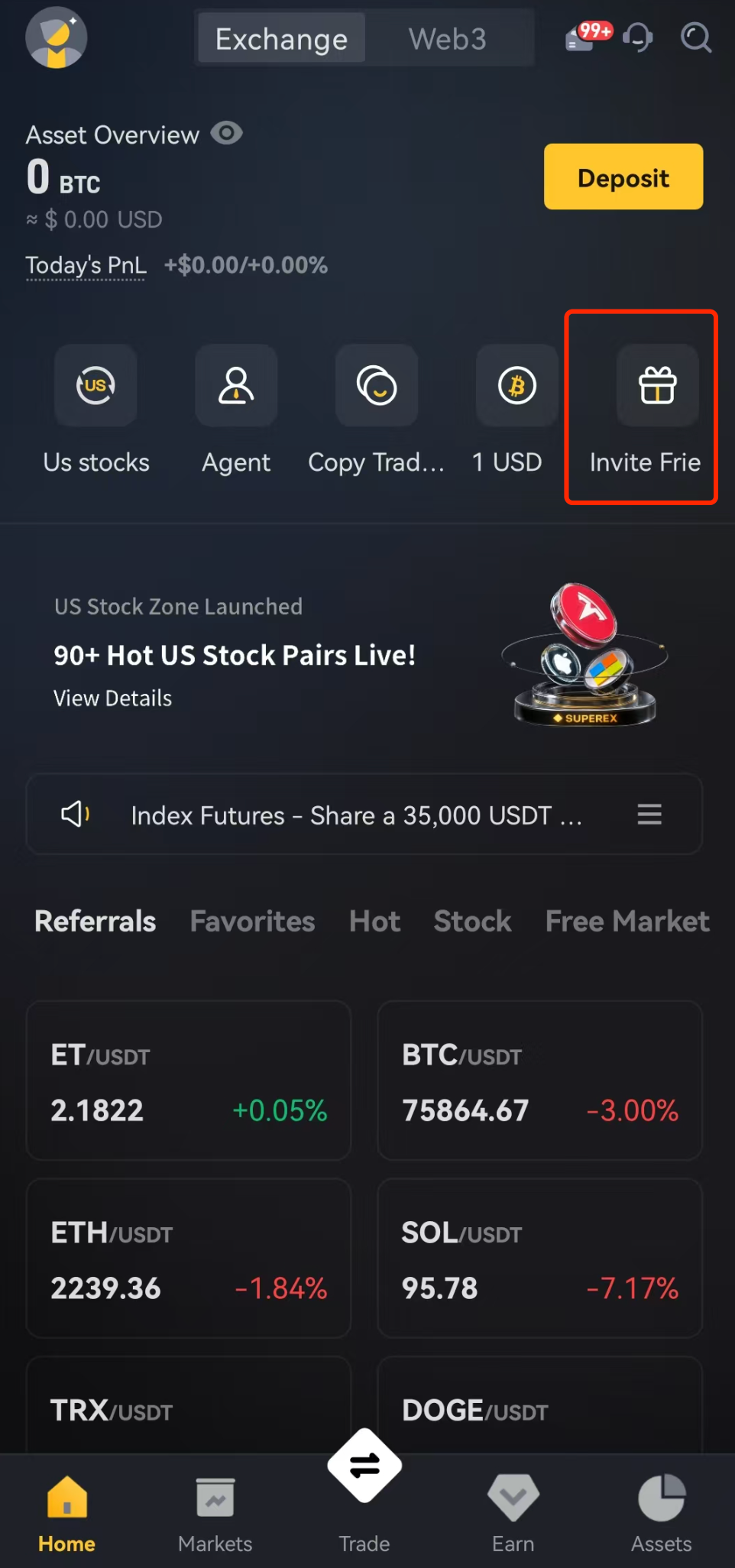
1. Open SuperEx and log in to your account. On the app homepage, click on “Invite Frie”
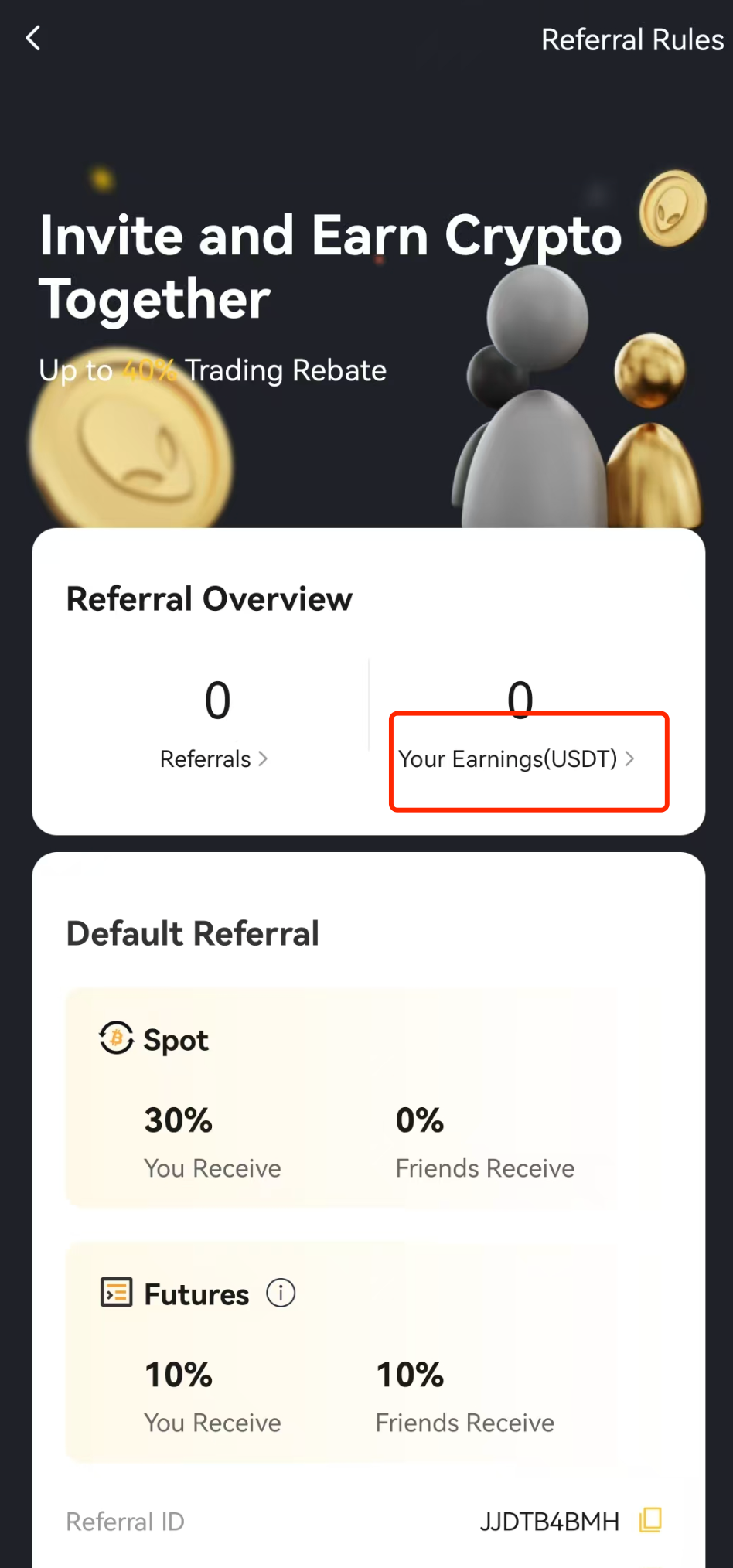
2. Select Your Earnings (USDT) ,Go to My Earnings and choose the currency you want to withdraw (e.g., USDT).
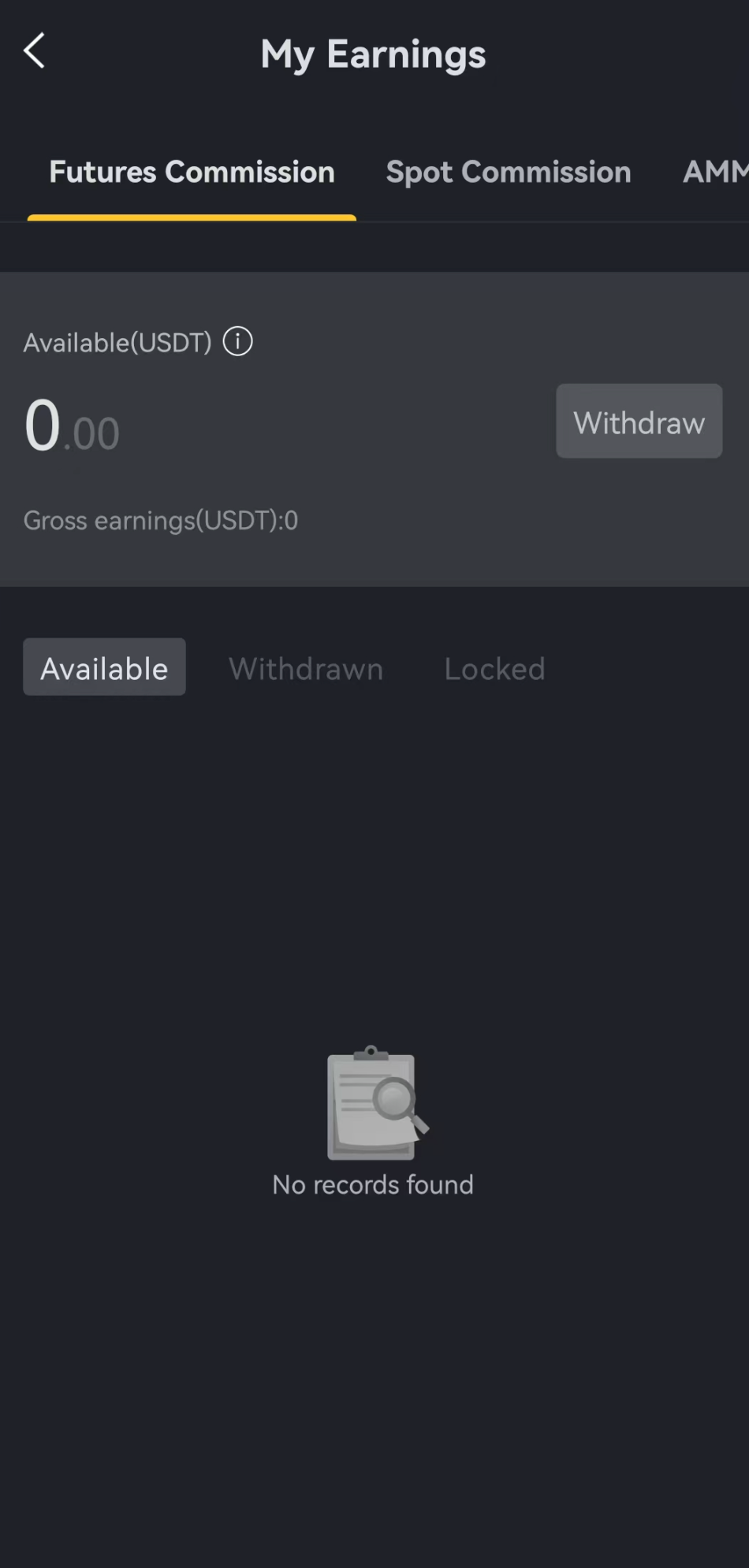
3. Click “Withdraw” to withdraw your commission.
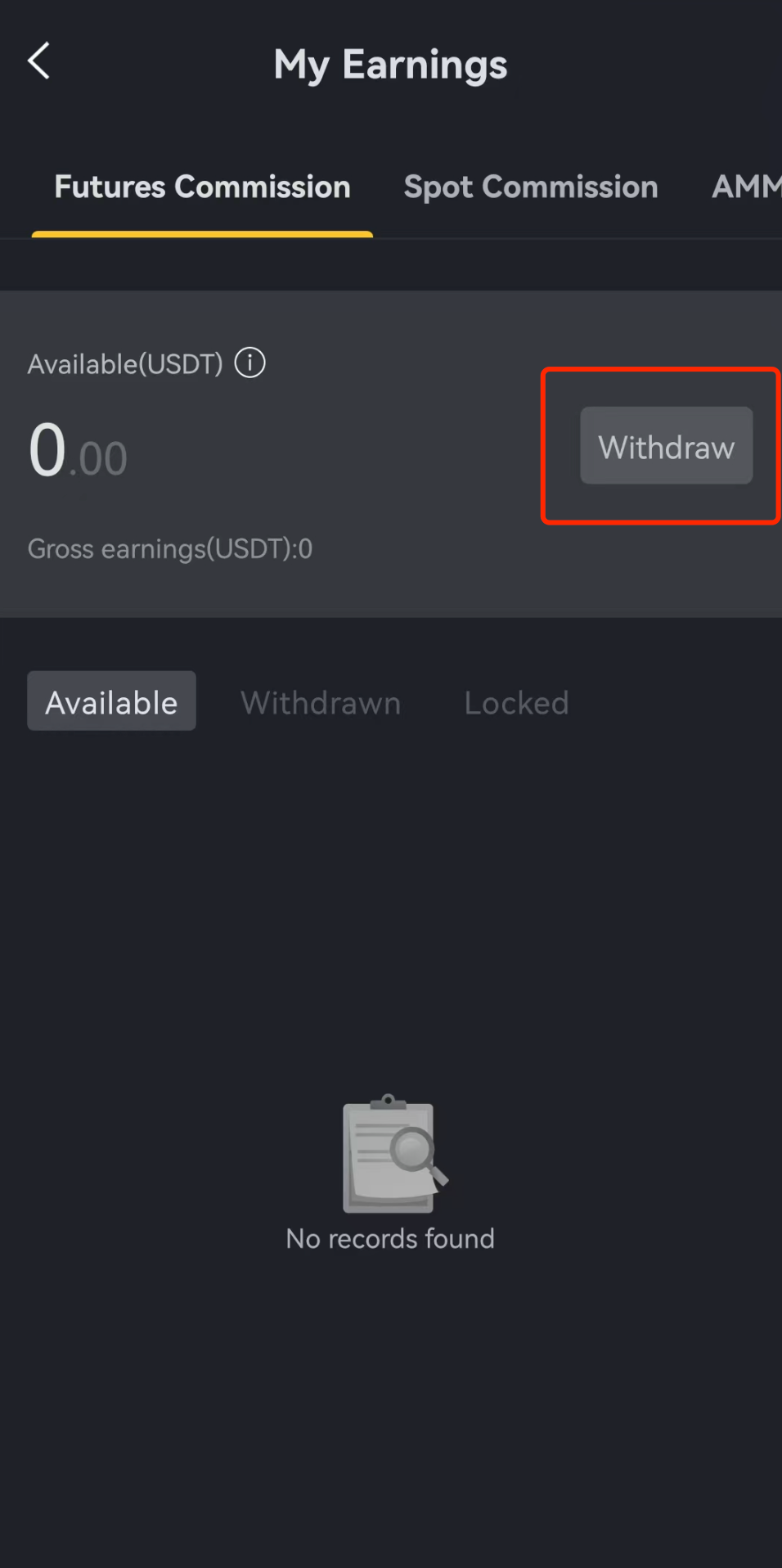
4. Click “Confirm” on the pop-up window.
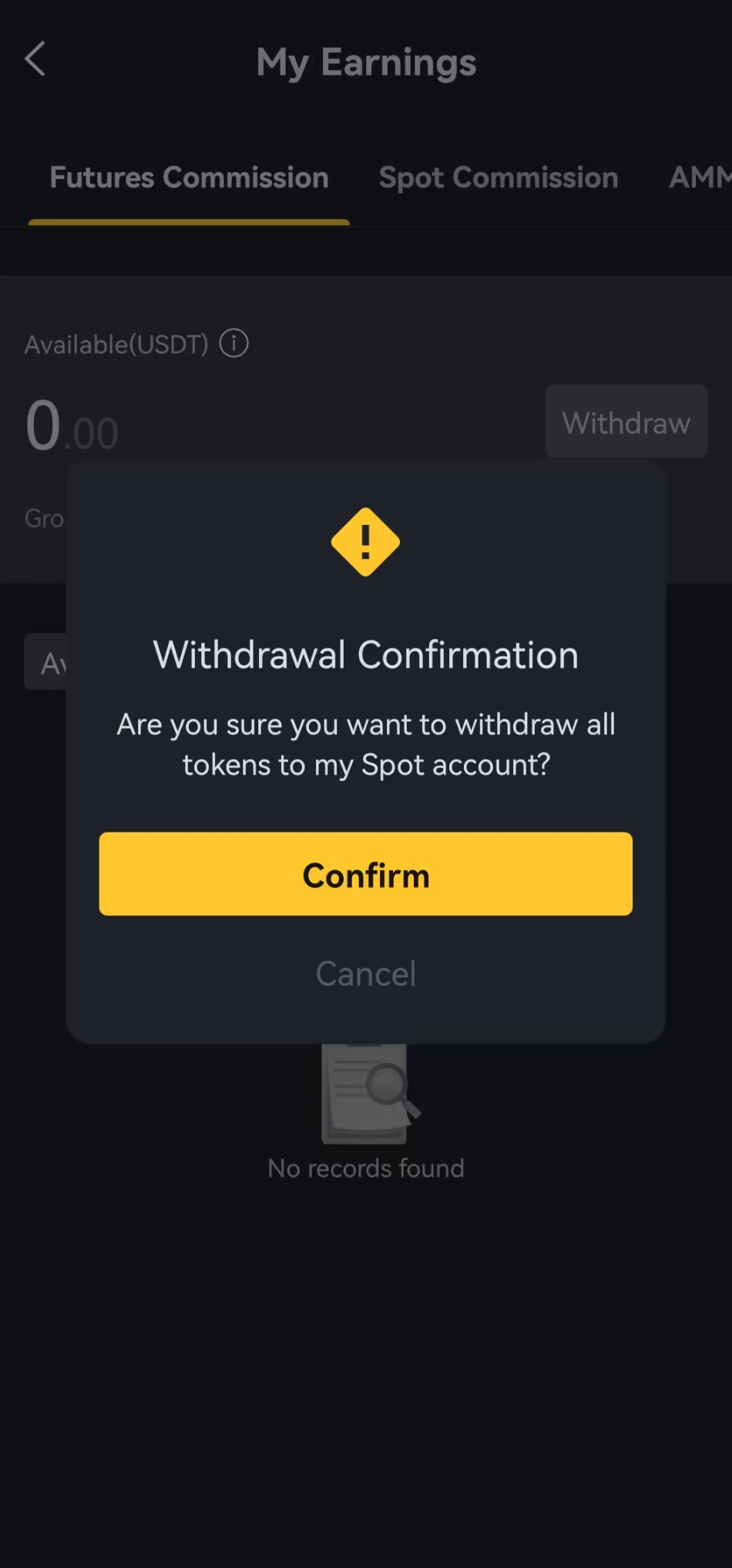
5. ClickConfirm, and a detailed confirmation dialog box will appear. Verify the withdrawal details. Then, proceed to security verification.
6. Complete the required security verifications to confirm the withdrawal:
- Email Verification
- SMS Verification
- SuperEx Verification Code
- Google Authentication Code
7. After withdrawal, you can check the progress of your rebate reward withdrawal on this page.




Responses